Tuesday, April 15, 2014

Bad Piggies rolls out on Windows Phone.

Call it Angry Birds in reverse if you want, Bad Piggies is Rovio's Angry birds from the pigs' point of view. Instead of chasing and blowing up pigs, you will actually guide them to the eggs using some sort of devices you will build yourself. So you'll get your pigs crawling, flying, and rolling towards their obsession. 

The game has been released to the Windows Phone Store for $0.99. Check it out.


Thursday, April 10, 2014

Bing Translator now does offline translation of Polish and Turkish.

Bing Translator or Translator for short has been updated today that brings the app to version 2.9. The nice little translator is one that frequent travelers need to add to their travel kit. Not just because it is free, but it does the job quite nicely and it is frequently updated to include more languages.

In this update, Translator gets two languages added to its offline language translation list: Polish and Turkish. On the online front, Maltese and Welsh have been added.

Translator is also able to translate whatever falls into the range of your device lenses. Your Windows Phone camera will thus help you understand Czech, Greek, Hungarian, Polish and Turkish. The app also gets a wide live tile.

Check the update or download Translator in the Windows Phone Store.

Tuesday, April 08, 2014

Evernote gets a better note editor, picture editing in preview.

Among all note-taking apps, Evernote remains my favorite. I use on all my devices because, one, it is free and, second and most importantly, my notes sync to the cloud and are therefore available on all my devices with little to no effort. Even if cloud synching is a feature that is now native into about any apps these days, Evernote is probably a precursor.

Evernote received an update today that improves the note editor with the following features:
  • Indentation (text, list, check boxes)
  • In line attachments
  • Table editing
  • Horizontal rule support
  • Layout improvement
  • Edit pictures in preview
  • Mask pin code on unlock.
Evernote is free to download in the Windows Phone Store.

Thursday, April 03, 2014

Facebook Messenger let you saves photos while using less data.

Facebook Messenger for Windows Phone just got better today with an update that adds a much requested feature by users: The ability to save photos shared within conversations. Frankly, I did not even know this feature was missing in Facebook Messenger. I mostly share pictures via my OneDrive. With this update, Facebook also tweaked the notification to make it more reliable. I don't yet know how reliable it is, but it was re-designed so users do not miss any messages. Only time will tell how good it is. 

It is interesting to note that the change log mentions that the "app uses less data". Not sure about that one either. But in my case, it would be better for such an app to user less power.

Facebook Messenger is free to download on the Windows Phone Store.

Wednesday, April 02, 2014

Viber now lets you call non-Viber mobile and landline at low rates.

Viber for Windows Phone was updated today to version 4.1 and it has some features of interest that fans of the app will enjoy. The first one is the ability to use Viber on your Windows Phone to make calls to other mobile phones and land-lines. This added feature is not free, but the rates are inferior to what similar calls cost especially for international calls. Similar to Skype, you will need to buy credits in order to use this feature called Viber Out, which puts Viber in direct competition with Skype.

Other features include:
Send video messages
Send multiple photos at the same time
Hands-free Bluetooth support: seamlessly transfer calls to Bluetooth

Viber is free to download from the Windows Phone Store. If you already have it, get the update in the Store app on your phone.

Thursday, March 20, 2014

Microsoft Research updates Blink with new UI, dual modes and more.

Microsoft Research has released an important update for their Blink app today. If you are not among the 1 million users who downloaded Blink, you should definitely get it now. Blink is a cool app that lets you capture a burst of images before you even press the shutter. Even more, it continues to capture images even after you're done taking yours. And this can result into amazing pictures and experience. Obviously, like any modern apps, social networks is built into Blink so you can share your masterpiece with the world.

Among the features in the update is Dual mode. Users can easily switch between two modes. One to edit and share your animations and still mode to save and share the perfect shot. See the full change log below:

New! Version 2.4
- Fresh new look: New branding and refreshed UI elements throughout the app.
- Dual Modes: Switch easily between two modes - Blink mode to edit and share your animations, and still mode to save and share the perfect shot.
- Focus Lock: Tap on the screen to lock focus in that the region. That region will always remain in focus even across phone movements. Tap again to unlock.
- Improved stabilization: Even better video stabilization so that your Blinks play without any camera shake or jitter.
- Live Tile: Pin Blink to the start screen and see your perfect shots on the live Tile. (Note: might require a phone reboot or a unpin/re-pin for live tile to start showing.)
- My Blinks: A new gallery view in the Blink roll to quickly jump among captured Blinks.
- Tutorial: An interactive tutorial is included to quickly get you going.
- Orientation lock: Bug fix to orient Blinks correctly on sharing, under orientation lock.

Go to the Windows Phone store to download the update.

Source: Windows Phone Blog.

Thursday, February 27, 2014

Skype for Windows Phone now requires a Microsoft account.

Shortly after Microsoft acquired Skype, users were able to login to Skype with their Microsoft account. A Microsoft account is simply your Live/Hotmail or Outlook account. Skype for Windows Phone displayed a login field for both the traditional Skype account and a Microsoft account. I immediately made the switch when this feature became available. I did however keep my Skype account as it was still required to access Skype WiFi, an app available on Android and iOS that lets you access Skype enabled hotspots worldwide. Now that Skype WiFi also supports Microsoft account, I can get rid of my Skype account altogether.

In the latest Skype update published to the store, a Microsoft account is now a requirement to use Skype on Windows Phone. Users will not see the Skype account field anymore after they update the app and link their Skype account to their Microsoft account. The instructions to that can be found on Skype support site.

After you're done with the linking, Skype will take care of carrying your Skye credits and contacts over. It went well for me and did not encounter any issues at all.

The update which brings Skype to version 2.16.0.266, also lets you see when someone is typing. The usual bug fixes and performance improvement are also there.

Skype is available free in the Windows Phone Store.


Wednesday, February 19, 2014

SkyDrive renamed to OneDrive and gets new features.

Today Microsoft has released the re-branded SkyDrive app which is now known as OneDrive. The change in name was driven by the loss in court of a trademark claim by a British company. Microsoft did not appeal the verdict and decided instead to rename its cloud storage service. After the update is installed, the app will move from the "S" grouping to the "O" grouping in the app list. But that's not all.

Microsoft did not content itself with just a re-branding here. The app has also been updated with new features, including the ability to share multiple files at once. See the full change log below:

New in version 3.5:
• New thumbnail view
• Improved view of shared files 
• Share multiple items at once
• Pin folders to your Start screen
• Open your OneDrive files in other apps
• Bug fixes and performance improvements

Download the free update in the Windows Phone Store.
Saturday, February 15, 2014

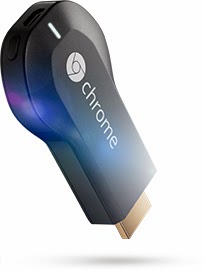
Tube Cast brings ChromeCast support to Windows Phone 8.


Google recently released the ChromeCast API and it did not take long to have an app show up in the Windows Phone store. Tube Cast is an app that lets you cast YouTube videos via ChromeCast to your TV. I tried it and it just works. However, it needs to be perfected and I am sure the developer will bring more features to it. As of now, the app is only capable of casting one video at a time. It is not possible to queue videos. In other words it is pretty basic. I'm happy to see a Windows Phone developer do Google's job and port their technologies to Windows Phone.

Tube Cast is a free download:
http://www.windowsphone.com/en-us/store/app/tube-cast/7e5b8d51-28c9-43f9-9370-905b1949513c

Sunday, February 02, 2014

6snap updated with group support.

Seems like Rudy Hyun never rests. 6snap, the unofficial SnapChat client for Windows Phone, has been updated with support for groups. In other words, it's a feature that lets you share pictures and videos with select groups instead of everyone in your address book. This feature has recently been added to official SnapChat client on other mobile platforms. It's pretty impressive how fast it got ported to an unofficial client on Windows Phone.

Check out the full change log:

- create group of friends !

Include these snapchat features :
- share pictures and videos with snapchat users
- post snaps on your story
- see stories, best friends and score of your friends
- draw and add text to your pictures
- search snapchat friends on your phone
- save your picture on your phone
- front and back camera
- manage your snapchat privacy
- notifications with custom ringtone

Source: Windows Phone Store

Thursday, January 30, 2014

6snap gets zoom ability, indicators and more.

The SnapChat third party client for Windows Phone, 6snap, got another round of update today. 6snap now supports zooming. Like any camera-enabled app, users will be able to zoom in or out before taking a picture. Indicators have also been added to show when snaps are in a pending state or being replayed by the a receiver. Better support for story support of videos with text and drawing.

6snap is available free in the Windows Phone Store.

Friday, January 24, 2014

IM+ for Windows Phone improved.

IM+ is an app that groups together several platforms. In one place you can initiate a chat session with Skype, Messenger, Google Talk, ICQ, AIM, Facebook, Yandex IM etc. The app supports push notifications and can help save some precious space on your Windows Phone.

Check out the change log:

- Option to change group chat topic
- Option to lock display orientation
- View VK.com timeline from contact’s info
- Quick Voice messages
- Location messages – share your location via IM+
- Favorite contacts – add favorite contacts from different services in one group
- Bug fixes and performance improvements

Source: Windows Phone Store

6snap (SnapChat) and 6tag(Instagram) updated.

Two mighty third party apps for Windows Phone have been updated. Both apps have been developed by Rudy Hyun, the most prolific Windows Phone developer I know. This guy is probably more busy than the president of the United States and yet he finds the time to create new apps while updating current ones. 

Before Instagram even considered building an official app for Windows Phone, Rudy Hyun had a full featured client for my favourite mobile platform. Instagram recently released an official client for Windows Phone in beta version. It is one client that utterly sucks when compared to Rudy's fully dedicated work.

Rudy has updated two of his most popular apps today.

6snap (SnapChat)
- View snaps without holding the screen (option in settings)
- add new snapchat captcha when create a new account 
- optimize performance

6tag (Instagram)
- Save instagram videos to your Skydrive
- bug fixes

View shared PowerPoint presentation with Lync 2013 update for Windows Phone.

Microsoft published an update for Lync 2013 app for Windows Phone. The new features lets you view shared PowerPoint presentation during a Lync meeting and control Lync with your voice.

Lync is an enterprise software that replaces Office Communicator and Windows Messenger. There's a client version for Windows 7, Windows Phone, Android and iOS. The multi-platform app is free.

What’s new in version 5.3:
•         View shared PowerPoint presentation during a Lync Meeting
•         Control Lync with your voice - Join a meeting and play a voice mail

Source: Windows Phone Store

Wednesday, January 22, 2014

Phonly for Windows Phone supports articles download without IE and Mobilizer.

Phonly is a third party client for Feedly, the app that replaced Google Reader after the Mountain View company closed the service last year. Feedly took over and made the app available for Android devices. Unfortunately they did not have one for Windows Phone. However, a Windows Phone Dev built a client called Phonly, which went out of beta recently and is constantly being updated with new features.

In an update posted today, the ability to save articles without Internet Explorer or Mobilizer. With the reading settings enabled, users can read articles offline. Another nice addition is the ability to select an article to mark those above it as read.

What's New in version 1.2.4.0:
• Download full article without opening Internet Explorer or mobilizer (must be enabled in 'Reading Settings')
• Tap and hold an article in a list to 'Mark above as read'
• New settings page layout
• Updated login page background
• Bug-fixes

Source: Windows Phone Store

WeChat updated with support for 100 members group.

WeChat is a very popular multi-platform messaging service in far east countries. It is a strong competitor to the ikes of Skype,WhatsApp with 300 million active users. As with WhatsApp, a phone number is required to register and start using WeChat to chat, share pictures and videos with your friends whether they be on iOS, Android, Symbian and Windows Phone.

WeChat for Windows Phone got updated today with the ability to create groups with up to 100 members. Check out the change log:

What's New in WeChat 5.1
- Increase your group's capacity to 100 members
- Forward more than one messages at a time
- Press and hold stickers to preview them before downloading
- Show messages not sent in the chat list

WeChat is available free in the Windows Phone Store.

Thursday, January 09, 2014

WhatsApp for Windows Phone now supports Hindi.

WhatsApp has been updated today to version 2.11.350 with the usual bug fixes.  Additionally, WhatsApp is now capable of handling Hindi language, which I can only assume will please Indians and every Hindi speaking individuals on this planet.

WhatsApp boast 400 million users. It is a free app to download on the Windows Phone store. The popular messaging app is not free after one year of use and cost $0.99 per year, which is pretty cheap in my opinion.

Friday, January 03, 2014

6snap update: Draw on videos and more...A lot more.

6snap is the full featured Snapchat client for Windows Phone. For those who bother about official clients, I recommend you try 6snap. As Shakespeare wrote, what's in a name. 6snap was updated today with the following features:

- draw on videos!
- add multi-line texts on videos
- support add text on landscape videos
- remove "white space" when you click on friend
- remove ads just after payment, no need to restart the app


Download the update here.

6tag update: Save Instagram videos to your SkyDrive.

Some developers rest on their laurels, others don't. Rudy Huyn is one of those developers who almost relentless work on improving their apps. Before Facebook and Instagram made up their mind to provide a beta app for Windows Phone, Rudy Huyn had 6tag, an excellent Instagram client. The app is still my favorite Instagram client app on my Windows Phone.

6tag was updated yesterday that lets users save Instagram videos to their SkyDrive. I have never used the video feature of Instagram, just like I'm not a fan of Vine, but I'm pretty sure this added feature will be welcomed by the fans. The update also includes the usual bug fixes.

The update is available free for download in the Windows Phone Store.

Wednesday, December 11, 2013

Skype, Translator and LinkedIn updated.

Some of my favorite apps today got updated. Skype now loads faster; Translator supports more languages offline; and linkedIn lets you edit your profile on your device. Check out the full change log below:

Skype

- Faster start-up time.
- Copy and paste instant messages in chat.
- High contrast accessibility mode.
- General fixes and improvements.


Translator 


- Camera translation for Danish, Dutch, Finnish, Norwegian, Russian and Swedish
- Offline translation for Dutch, Norwegian, Russian and Swedish
- Lamp in camera mode
- Remove history items one by one

LinkedIn

Build your reputation: Add and edit your profile picture
•  Leverage your network: Easily grow your network from people in your address book
•  Increase your knowledge: More easily see who's viewed your profile and join groups