Wednesday, March 30, 2016

Playcast, an awesome media player for casting videos, songs, & pictures updated with Google Cast bug fix and more.


I first blogged about Playcast back in January of this year shortly after I purchased the app so I can cast my movies to my TV through my Chromecast, which has been renamed to Google cast recently. I believe Playcast is the only app in the store to do that. After the app was released, I ran into issues where I could not play some movies from my library and fortunately, Webrox, the developer, quickly issued a fix and I can now enjoy my movies serenely. 

Playcast has been developed to allow users to cast movies, songs and pictures not only to Google Cast, but also to Google Cast Audio, Apple TV (AirPlay), DLNA Smart TV, Miracast, Internet Box, Xbox One, Xbox 360 etc. Playcast cost $3.99 and offers a week trial before you make the decision to buy it and I can tell it is a well worth purchase. Plus the app is regularly updated with new features and fixes.

Today's update does not include any new features, but the developer added the following fixes:

  • Chromecast (Google Cast) bug fixes (was due to the new firmware)
  • Crash fix (bug in UWP: Crash while going to full screen sometimes)
  • DLNA server better handled (MonkeyServer)
  • Few minor bug fixes in UI.
Go check out Playcast in the store. Playcast is a Universal Windows App. Buy it once and use on your Windows Phone and Windows PC.

Wednesday, March 16, 2016

Twitter for Windows 10 Mobile gets a new beautiful design, content discovery, Moments and more.

Well that is kind of unexpected. Twitter today released a major update for Windows 10 Mobile totally making it beautiful and also bringing some new features that makes the app identical to its PC sibling. It even got the little heart in replacement of the star to 'Like' a Tweet. Really, the design is beautiful and on par with Twitter apps on other platforms with the addition of the black theme, which is not available on Android and iOS. Unfortunately, switching to black theme is not app specific and cannot be done in the app settings, is related to the system theme. There's also no way to navigate horizontally to switch between the different pivot screen. Overall, it remains a nice update and I expect it will get better in a future update.

Check out the full change log and update the app in the Windows Store:
Find the best of Twitter in an instant with Moments. Follow top stories through immersive pics, clips and conversations. Get insights and perspectives you won't find anywhere else. 
- Find the best of Twitter in an instant. 
- Get exclusive pics, clips and conversations. 
- Express yourself with a Tweet. 
- Find people and accounts that interest you. 
- Hello from this part of the world! 
- See the moment.

Friday, March 04, 2016

Microsoft adds camera translation for Arabic to Translator app for Windows Phone.

Last Monday I blogged about Microsoft updating its Translator app for Windows Phone with camera translation support for Romanian, Slovak and Serbia Cyrillic. Today, the Translator app for Windows Phone was again updated and this time Microsoft added camera translation for Arabic bringing the app version to 4.2. That is all there is to it. 

You can get the update here.

Microsoft has a slew of updates for its Facebook app for Windows Phone.

Facebook, the world's dominant social network, received a slew of updates on the Windows Phone 8, 8.1 and 10 platforms. The app is developed and maintained by Microsoft unlike other platforms where Facebook builds its own app. This update proves that Microsoft has been hard at work to bring some much needed features to the app and that will certainly please those who use Facebook exclusively on Windows Phone. Check out the full change log below and head over to the Windows Phone store to update Facebook.

Version Notes:
· Profile post editing 
· Cover photo management 
· Profile picture management 
· Threaded comments 
· Comment reply functionality 
· Album comment functionality 
· Create new albums via post composer 
· Share content to external sources 
· News Feed improvements 
· Interactive notification improvements 
· Contact sync improvements 
· Date & time localization improvements 
· Stability improvements 
· Improvements to Continuum experience 
· Bug fixes

Monday, February 29, 2016

Microsoft Translator updated with camera translation for Romanian, Slovak & Serbia Cyrillic, translation pack for Kiswahili.

Using your Windows Phone camera for translation is a feature we now take for granted and with Microsoft adding support for more languages, its Translator app is a required tool to keep handy when traveling. The world is a global village after all. Microsoft has updated the Translator app for Windows Phone, bringing the version number to 4.1 with the following new features:

- Camera translation for Romanian, Slovak and Serbian Cyrillic 
- Online translation and offline translation pack for Kiswahili

Microsoft added support for Kiswahili - better known as Swahili - in October last year. Back then the language was available in text form only.

The update is available in the Windows Phone store for download.

Thursday, February 11, 2016

Glide video messaging available for Windows Phone.


Glide is a new live video messaging tool for Windows Phone. The app already exists on iOS and Android and now millions of Windows users around the world will enjoy fast video messaging to keep in touch with loved ones. This is pretty much what other similar apps do. But Glide boast its unique ability to handle sign languages. According to a post on Glide's blog, the app is very popular among members of the deaf and hard of hearing community, especially since a sign language conversation can take place one handed:

“My deaf students say: ‘It feels like this was specially made for us.”
“I love this app. It makes it much easier to keep in touch with my deaf sister. Thank you.”
“So awesome to be able to leave video messages for my Deaf friends. With voicemail not being an option for those who can’t hear, this is a fantastic option! Thanks so much!!!”
“Love Glide! I am deaf and use sign language to communicate with my friends so this app allows us to get our message across quickly! Awesome app!”
Glide also supports text messages in the event videos are not convenient. Videos are also saved to the cloud, making them available for viewing at anytime, anywhere and saves precious space on your device. The ability to review a video before sending is also cool. Learn more about Glide here and get the app in the Windows Store.

Saturday, February 06, 2016

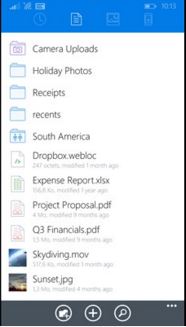
Dropbox for Windows Phone 8.1 updated with quick search, commenting and Jump list.

Dropbox

Dropbox for Windows Phone is a Windows Universal app, meaning that it works on Windows for desktop and Windows 10 Mobile. The popular cloud storage app also works with Windows Phone 8.1. Today, Dropbox was updated to bring some of the Windows 10 features to Windows Phone 8.1.

With this update Windows Phone 8.1 and Windows users will be able to initiate a search by simply typing anywhere. They won't necessarily need to tap the search icon first. The app also allow users to comment on files, bringing collaboration with others by inviting them to a discussion with the use of @mentions. Finally, there's Jump list for access to recent files through a right click on the application icon and tile.

Grab the update in the Windows Store.

Surfy browser adds Ukranian language and fixes LAN site browsing issue.

Surfy
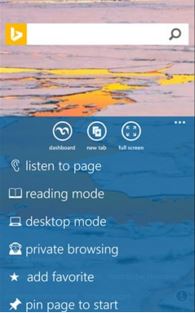
I really like how Android lets me choose which browser I like most and set it as the default browser to open any links I click on my device. This is a choice I would like Microsoft to implement on Windows Phone. We already have the choice of search engine, so why not extend that to browsers. My favorite browser is on my Lumia is Surfy and it got a minor update today. The browser now supports Ukranian language and an issue with browsing to LAN sites has also been fixed.

There are two versions of Surfy available in the store, one free with some limitations and a paid version:


Wednesday, February 03, 2016

Microsoft adds GPS Power Saver to Microsoft Band 2 and weight tracker to its Health app.

 Microsoft Health picked up a nice update today, especially for those who own the Microsoft Band 2, the second generation fitness tracker made by the software giant. I do not own a Band 2 yet, but I like the addition of the GPS Power Saver, which Microsoft claims to extend the battery life up to 4 hours. I have the Band 1 and use it for biking. While I only bike a distance of up to 13 km with the GPS activated and battery fully charged, I will end up with 40%; enough to complete a guided workout of 13 minutes at home before plugging the Band to recharge and switch to my phone. An additional 40% of battery life will fulfill my needs.

This update also comes with an activity reminder. Again, another feature I wish Microsoft had made available for the first generation of its fitness band. The Activity Reminder will let users set reminders on their Band 2 for every 30, 60, or 90 minutes to take a walk.

The other features include the ability to create guided workouts in the dashboard and share them with friends. The addition of a weight tracking feature to help users maintain their current weight or to reach their goals  and finally, Microsoft added more Web Tiles for a variety of content for users to pick from. 

Get the updated Microsoft Health app in the Windows Store.

Monday, February 01, 2016

WeChat for Windows Phone updated with content sharing from Cortana.


The Windows Store on my Lumia 1520 is showing an update is available for the popular messaging app WeChat. Like other apps of its kind, WeChat is a cross-platform app for texting, making video calls, voice messages. Tencent, the China-based company and owner of WeChat, claims the app currently has 400 million users, many of which are in China where WeChat is extremely popular.

According to the change log, the updated app improved on the user experience on Windows 10, but does not give details about those improvements. The second item in the change log is the ability for sharing content from Cortana. I have yet to figure out how that works though.

WeChat is a nice messaging platform with a great walkie talkie which supports real time conversation with up to 40 friends. If you haven't tried it yet, download WeChat for Windows 10 Mobile in the store for free.

Saturday, January 30, 2016

Third party YouTube client, Tubecast updated with in-app purchases fix & moved YouTube servers.

Tubecast

My favorite YouTube client for Windows Phone, Tubecast, has been updated today with a few fixes. The first deals with an issue with casting with moved YouTube servers which showed a HTTP 302 error. The second one fixes a problem with in-app purchases. This one seems to have been a long time source of frustration to the developer based on his wording in the change log: "After 1.5 years of Microsoft bugs with their incapacity to synchronize purchases correctly at anytime, purchases are now stored on my server". 
Tubecast is available for download in the Windows Store with a free and paid version available:

Thursday, January 28, 2016

Microsoft OneNote gets Office Lens integration to capture document and whiteboard.


OneNote for Windows 10 picked up an interesting update today. The popular note-taking app gets support for scanning documents, photos and whiteboards. Sounds familiar? It should if you use Office Lens, Microsoft scanning app. I personally find this integration a great idea as I use Office Lens a lot to record my receipts in OneNote. With this integration, I get to do my record keeping all in OneNote. 

There's more to the update as listed in the change log below:

More organized notes

  • Move/copy pages and sections to keep everything organized, just the way you like.

    Shape recognition.
  • Automatically transform your drawings into shapes.

    Office Lens.
  • Use Office Lens from inside OneNote to capture that document or whiteboard.

    Know who's here.
  • See where others are working with you in a shared notebook.
Download: OneNote

Saturday, January 23, 2016

Dropbox is now a Universal Windows Platform app with a bunch of new features.

Dropbox
The more storage we have the better, no matter if we have to use different and several storage providers, especially that there are apps like CloudMesh that brings them all together for easier management. However, if Dropbox is one of your cloud storage, an update has been published to the store today for Windows 10 that makes it a Universal Windows Platform app. But the Windows 10 Mobile version of the app is not available yet. But I assume it shouldn't be long before it lands in the Windows store.

This update makes the app a lot faster, brings quick search, interactive device notifications, drag and drop functionality, Windows Hello integration, commenting and Jump List. See the change log below for details and head into the Windows store to download the update.

Microsoft updates Sway for Windows 10 with recycle bin, full screen mode, more textures and groups nesting.

Microsoft Sway
If you suffer from severe lack of arts talent like me, you will probably like Sway, a digital storytelling app made by Microsoft to give life to your photos. Put them all together with some text, videos and some other stuffs and you get a beautiful and professional presentation to show to your friends, family and colleagues. And again, you don't have to be a professional artist or be a PowerPoint specialist to use Sway. With that said, Microsoft has updated Sway for Windows 10 today that adds more styles and background textures, groups nesting and the usual performance improvements and bug fixes. Check the full change log below. Note that Sway is not a universal app yet, so, sadly, you won't find it in the Windows Phone store. 

We're all familiar with the Recycle Bin in Windows where all our deleted items are stored and I'm sure we all have stories of items deleted accidentally. Thanks to the Recycle Bin we're able to recover those items. Microsoft has ported the Recycle Bin feature to Sway. It work the same as on the PC in that sways that are deleted end up in the Recycle Bin for 30 days. Where it gets really interesting is that way that you delete on the web, Windows 10, iPhone and iPad will all go to the Recycle Bin. You can also choose to permanently delete them to empty the Recycle Bin, just make sure you really want to do that by checking what's in there before clicking that OK button.

Here's what's new:

  • More Styles and Background Textures — Customize your Sways with additional styles featuring a variety of new background textures. 
  • Groups in Groups – Nesting groups of content in other groups allows new format combinations, particularly in Sway’s presentation-oriented layout. 
  •  Miscellaneous — We've made additional performance improvements and bug fixes.
Download Sway in the Windows Store.

Thursday, January 21, 2016

Playcast for Windows 10 gets major update, 1 more free day trial and some fixes.

When Playcast was released, I purchased it without hesitation despite the fact that a few days trial was available. And that's because the developer behind this excellent app is also the one who made the best YouTube app for windows 10, Tubecast (Paid, free). The latter and Playcast have that thing in common in that you can cast media to Chromecast, or DLNA devices. 

However, after buying the app, I ran into issues as it failed to cast movies to my Chromecast while it handled songs well. I reached out to the developer and he very quickly contacted me to help solve the problem. After sending one of my movies, he found out that a particular format was not being handled properly and a fix was quickly released.

Today, I am enjoying my movies from my Lumia 1520 via Chromecast. The fix is part of the update that the developer released today, among other fixes and new features as shown in the change log below:

What's new in version 0.8.0.0:
Monetization:

  • 1 more FREE day in trial per app update.
New drive sources:
  • DLNA Media Server
  • Google Drive
  • Dropbox
  • Freebox
Technical:
  • MP4 'FastStart' transcoding on the fly for Chromecast unreadable MP4.
  • Miracast support.
There's also some UI improvements:
  • Remove items in Recent/Queue
  • Shortcut (desktop): F5 refresh - F11 fullscreen
  • Progress bar preview in PIP
  • Changelog popup at startup if it's a new version
  • "My libraries" only shows right content type files
  • List performance
  • UI contrast improvements
Get the app in the Windows Store.

Saturday, December 19, 2015

Adobe Photoshop Express makes Noise Reduction and Looks premium packs free for a limited time.

Adobe Photoshop Express is an excellent photo editor app for Windows desktop and Windows 10 Mobile and one of my favorites because it's super simple to use and full of those automated tasks that makes my photos look good without much effort. I'm very lazy when it comes to photo editing plus my lack of artistic taste is evident. I always scored ZERO in arts class, no kidding. 

That's why I like apps like Adobe Photoshop Express, to handle those tedious manipulations for me. The app has been updated today with one feature removed, Adobe Revel. The latter was Adobe's cloud storage solution to store your photos and sync them to your Windows computer/tablet and iPad. Adobe did not say the reason for removing Adobe Revel.

With the holidays almost upon us, Adobe is making its premium features free, meaning the Adobe Noise Reduction Pack which was sold at $4.99 and the Adobe Looks Pack which was at $2.99 are now free when you sign in with an Adobe ID. Adobe does say within the app that this offer is "for a limited time", so hurry to take advantage of it in the Windows store.

Friday, December 18, 2015

Duolingo adds Russian, Polish and Ukrainian to its language learning portfolio.

Correct me if I'm wrong when I say we all speak at least one language. But the real question is why stick to one when you can speak more thanks to apps like Duolingo, a Universal Windows app that is among the best in its kind in that it makes it fun and easy to learn a foreign language. Duolingo lets you learn Spanish, French, German, Portuguese, Italian, Irish, Dutch, Danish and English; all of that totally free, with no in-app purchases. So no surprises.

Today the developers behind the learning app released an update that adds three new languages to the lot: Russian, Polish and Ukrainian. Three additional languages to learn at your own pace. 

If you haven't tried Duolingo yet, visit the Windows store on your desktop or phone to download and have fun learning languages.

Tuesday, December 15, 2015

Send group text messages from Windows desktop with Pushbullet.


Pushbullet made it easy to send text messages from our Windows computer and Android tablets. Today, the amazing team behind Pushbullet published another update that brings group texting support to the app. Users of Windows and android on tablets will thus be able to reply to groups on their devices without reaching out to their phones. All that is needed to start using this new feature is to download this update in the link at the end of this post. 

Group texting is supported in Chrome via the extension, the Windows desktop app and the Android app. The update will be available soon for Safari, Firefox and Opera extensions. Sending group text will be without limits until January 1st. Pass that date, the same individual text message limit will apply to free users of Pushbullet.


Whether you're a free or paid user of Pushbullet, download the update from Pushbullet and enjoy sending group text from your Windows computer.

Windows Maps for Windows desktop and Mobile gets lane guidance, Santa tracking and Home pinning.

Windows Maps for desktop and Windows 10 Mobile was updated today with features that I find very helpful. Not that I really need them in Mauritius, but they will come in very handy during my travels. Before we look into the update, I want to draw your attention on the availability of the update on Windows Desktop and Mobile at the same time. This is the power of Universal apps.

In this update, Microsoft introduces a feature I think they borrowed from Here Maps, recently owned by Nokia and sold to a German consortium, which lets users pin their Home and later tap on it to get directions back. In this update, Microsoft lets you do that by pinning your Home or Work to get guided directions from anywhere.

With Christmas right around the corner, every maps app has to have their own Santa tracking feature and Windows Maps will let you find Santa and "follow him as he travels around the world on December 24th". Microsoft says in the change log that this feature is not available in all countries or regions. In the case this feature doesn't work at your location, just sit back with your favorite drink with your family and do it the old way, by scrutinizing the sky, which is way better than looking at a screen.

The last item in the log, is lane guidance in turn-by-turn navigation. Every driver, no matter how good, has had to face this moment of not knowing which lane to use. This feature should help avoid these confusing moments for a safe ride. 

This is pretty big update for Windows Maps. This app gives you voice navigation, turn-by-turn driving, transit, and walking directions for free and without the need of a live internet connection. Simply download the maps within the app, but before you can do that, make sure you download/upgrade Windows Maps app in the store.

Monday, December 14, 2015

Candy Crush Saga for Windows gets 15 new levels of Siberian Sorbet-filled episode.

It's the holidays season, just the perfect time to add new episodes to the ever popular Candy Crush Saga for Windows. This translates into 15 new levels of ice-cold Candy Crush Saga for your immoderate consumption.

"Do you like ice cream? Of course you do! Then you will love Siberian Sorbet, our latest episode! It comes filled with 15 NEW LEVELS and an extra slice of sugary fun on top!"

Candy Crush Saga is a completely free game, but some in-game items will require payment. That said, head over to the Windows Store to download the latest icy episode of Candy Crush Saga.