Thursday, February 27, 2014

Skype for Windows Phone now requires a Microsoft account.

Shortly after Microsoft acquired Skype, users were able to login to Skype with their Microsoft account. A Microsoft account is simply your Live/Hotmail or Outlook account. Skype for Windows Phone displayed a login field for both the traditional Skype account and a Microsoft account. I immediately made the switch when this feature became available. I did however keep my Skype account as it was still required to access Skype WiFi, an app available on Android and iOS that lets you access Skype enabled hotspots worldwide. Now that Skype WiFi also supports Microsoft account, I can get rid of my Skype account altogether.

In the latest Skype update published to the store, a Microsoft account is now a requirement to use Skype on Windows Phone. Users will not see the Skype account field anymore after they update the app and link their Skype account to their Microsoft account. The instructions to that can be found on Skype support site.

After you're done with the linking, Skype will take care of carrying your Skye credits and contacts over. It went well for me and did not encounter any issues at all.

The update which brings Skype to version 2.16.0.266, also lets you see when someone is typing. The usual bug fixes and performance improvement are also there.

Skype is available free in the Windows Phone Store.


Wednesday, February 19, 2014

SkyDrive renamed to OneDrive and gets new features.

Today Microsoft has released the re-branded SkyDrive app which is now known as OneDrive. The change in name was driven by the loss in court of a trademark claim by a British company. Microsoft did not appeal the verdict and decided instead to rename its cloud storage service. After the update is installed, the app will move from the "S" grouping to the "O" grouping in the app list. But that's not all.

Microsoft did not content itself with just a re-branding here. The app has also been updated with new features, including the ability to share multiple files at once. See the full change log below:

New in version 3.5:
• New thumbnail view
• Improved view of shared files 
• Share multiple items at once
• Pin folders to your Start screen
• Open your OneDrive files in other apps
• Bug fixes and performance improvements

Download the free update in the Windows Phone Store.

Saturday, February 15, 2014

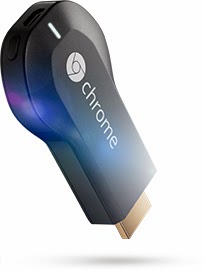
Tube Cast brings ChromeCast support to Windows Phone 8.


Google recently released the ChromeCast API and it did not take long to have an app show up in the Windows Phone store. Tube Cast is an app that lets you cast YouTube videos via ChromeCast to your TV. I tried it and it just works. However, it needs to be perfected and I am sure the developer will bring more features to it. As of now, the app is only capable of casting one video at a time. It is not possible to queue videos. In other words it is pretty basic. I'm happy to see a Windows Phone developer do Google's job and port their technologies to Windows Phone.

Tube Cast is a free download:
http://www.windowsphone.com/en-us/store/app/tube-cast/7e5b8d51-28c9-43f9-9370-905b1949513c

Sunday, February 02, 2014

6snap updated with group support.

Seems like Rudy Hyun never rests. 6snap, the unofficial SnapChat client for Windows Phone, has been updated with support for groups. In other words, it's a feature that lets you share pictures and videos with select groups instead of everyone in your address book. This feature has recently been added to official SnapChat client on other mobile platforms. It's pretty impressive how fast it got ported to an unofficial client on Windows Phone.

Check out the full change log:

- create group of friends !

Include these snapchat features :
- share pictures and videos with snapchat users
- post snaps on your story
- see stories, best friends and score of your friends
- draw and add text to your pictures
- search snapchat friends on your phone
- save your picture on your phone
- front and back camera
- manage your snapchat privacy
- notifications with custom ringtone

Source: Windows Phone Store

Thursday, January 30, 2014

6snap gets zoom ability, indicators and more.

The SnapChat third party client for Windows Phone, 6snap, got another round of update today. 6snap now supports zooming. Like any camera-enabled app, users will be able to zoom in or out before taking a picture. Indicators have also been added to show when snaps are in a pending state or being replayed by the a receiver. Better support for story support of videos with text and drawing.

6snap is available free in the Windows Phone Store.

Friday, January 24, 2014

IM+ for Windows Phone improved.

IM+ is an app that groups together several platforms. In one place you can initiate a chat session with Skype, Messenger, Google Talk, ICQ, AIM, Facebook, Yandex IM etc. The app supports push notifications and can help save some precious space on your Windows Phone.

Check out the change log:

- Option to change group chat topic
- Option to lock display orientation
- View VK.com timeline from contact’s info
- Quick Voice messages
- Location messages – share your location via IM+
- Favorite contacts – add favorite contacts from different services in one group
- Bug fixes and performance improvements

Source: Windows Phone Store

6snap (SnapChat) and 6tag(Instagram) updated.

Two mighty third party apps for Windows Phone have been updated. Both apps have been developed by Rudy Hyun, the most prolific Windows Phone developer I know. This guy is probably more busy than the president of the United States and yet he finds the time to create new apps while updating current ones. 

Before Instagram even considered building an official app for Windows Phone, Rudy Hyun had a full featured client for my favourite mobile platform. Instagram recently released an official client for Windows Phone in beta version. It is one client that utterly sucks when compared to Rudy's fully dedicated work.

Rudy has updated two of his most popular apps today.

6snap (SnapChat)
- View snaps without holding the screen (option in settings)
- add new snapchat captcha when create a new account 
- optimize performance

6tag (Instagram)
- Save instagram videos to your Skydrive
- bug fixes

View shared PowerPoint presentation with Lync 2013 update for Windows Phone.

Microsoft published an update for Lync 2013 app for Windows Phone. The new features lets you view shared PowerPoint presentation during a Lync meeting and control Lync with your voice.

Lync is an enterprise software that replaces Office Communicator and Windows Messenger. There's a client version for Windows 7, Windows Phone, Android and iOS. The multi-platform app is free.

What’s new in version 5.3:
•         View shared PowerPoint presentation during a Lync Meeting
•         Control Lync with your voice - Join a meeting and play a voice mail

Source: Windows Phone Store

Wednesday, January 22, 2014

Phonly for Windows Phone supports articles download without IE and Mobilizer.

Phonly is a third party client for Feedly, the app that replaced Google Reader after the Mountain View company closed the service last year. Feedly took over and made the app available for Android devices. Unfortunately they did not have one for Windows Phone. However, a Windows Phone Dev built a client called Phonly, which went out of beta recently and is constantly being updated with new features.

In an update posted today, the ability to save articles without Internet Explorer or Mobilizer. With the reading settings enabled, users can read articles offline. Another nice addition is the ability to select an article to mark those above it as read.

What's New in version 1.2.4.0:
• Download full article without opening Internet Explorer or mobilizer (must be enabled in 'Reading Settings')
• Tap and hold an article in a list to 'Mark above as read'
• New settings page layout
• Updated login page background
• Bug-fixes

Source: Windows Phone Store

WeChat updated with support for 100 members group.

WeChat is a very popular multi-platform messaging service in far east countries. It is a strong competitor to the ikes of Skype,WhatsApp with 300 million active users. As with WhatsApp, a phone number is required to register and start using WeChat to chat, share pictures and videos with your friends whether they be on iOS, Android, Symbian and Windows Phone.

WeChat for Windows Phone got updated today with the ability to create groups with up to 100 members. Check out the change log:

What's New in WeChat 5.1
- Increase your group's capacity to 100 members
- Forward more than one messages at a time
- Press and hold stickers to preview them before downloading
- Show messages not sent in the chat list

WeChat is available free in the Windows Phone Store.

Thursday, January 09, 2014

WhatsApp for Windows Phone now supports Hindi.

WhatsApp has been updated today to version 2.11.350 with the usual bug fixes.  Additionally, WhatsApp is now capable of handling Hindi language, which I can only assume will please Indians and every Hindi speaking individuals on this planet.

WhatsApp boast 400 million users. It is a free app to download on the Windows Phone store. The popular messaging app is not free after one year of use and cost $0.99 per year, which is pretty cheap in my opinion.

Friday, January 03, 2014

6snap update: Draw on videos and more...A lot more.

6snap is the full featured Snapchat client for Windows Phone. For those who bother about official clients, I recommend you try 6snap. As Shakespeare wrote, what's in a name. 6snap was updated today with the following features:

- draw on videos!
- add multi-line texts on videos
- support add text on landscape videos
- remove "white space" when you click on friend
- remove ads just after payment, no need to restart the app


Download the update here.

6tag update: Save Instagram videos to your SkyDrive.

Some developers rest on their laurels, others don't. Rudy Huyn is one of those developers who almost relentless work on improving their apps. Before Facebook and Instagram made up their mind to provide a beta app for Windows Phone, Rudy Huyn had 6tag, an excellent Instagram client. The app is still my favorite Instagram client app on my Windows Phone.

6tag was updated yesterday that lets users save Instagram videos to their SkyDrive. I have never used the video feature of Instagram, just like I'm not a fan of Vine, but I'm pretty sure this added feature will be welcomed by the fans. The update also includes the usual bug fixes.

The update is available free for download in the Windows Phone Store.

Wednesday, December 11, 2013

Skype, Translator and LinkedIn updated.

Some of my favorite apps today got updated. Skype now loads faster; Translator supports more languages offline; and linkedIn lets you edit your profile on your device. Check out the full change log below:

Skype

- Faster start-up time.
- Copy and paste instant messages in chat.
- High contrast accessibility mode.
- General fixes and improvements.


Translator 


- Camera translation for Danish, Dutch, Finnish, Norwegian, Russian and Swedish
- Offline translation for Dutch, Norwegian, Russian and Swedish
- Lamp in camera mode
- Remove history items one by one

LinkedIn

Build your reputation: Add and edit your profile picture
•  Leverage your network: Easily grow your network from people in your address book
•  Increase your knowledge: More easily see who's viewed your profile and join groups

Tuesday, November 26, 2013

Kindle app for Windows Phone updated with wide tile, fast app resume.

It was long since the Kindle app for Windows Phone was updated. The last one dates back to January 29 of the current year and was purely cosmetic. The update that was published today also contains some visual changes and new features. The most notable for me being the new wide tile that displays your book progress and fast app resume. 

Kindle for Windows Phone has been updated to version 2.0.0.5 with the following changes:

- Fast app resume
- Live tile with book progress
- New wide tile image
- Fixed: books loading blank pages
- Fixed: Kindle Store links

Download: Windows Phone Store.

Thursday, November 21, 2013

Community based mapping Waze for Windows Phone 8 released.

Waze is a community based mapping, traffic & navigation app boasting 60 million users. The app was recently acquired by Google, after the developers announced they were working on an app for Windows Phone raising concern among Windows Phone fans that Google would kill the project. 

With Waze open while you're driving, you will get real time info about traffic in your neighborhood from other Waze users. You can also contribute by reporting accidents, traffic jams etc. But be careful while driving though.

Features:
- Live routing based on community generated, real-time traffic and road info
- Community contributed road alerts including accidents, hazards, police traps, road closures and more
- Automatic re-routing as conditions on the road change
- Learns your frequent destinations, commuting hours and preferred routes 
- Finds the cheapest gas station along your route
- Notify someone you're on your way by sending a live ETA and a link showing you as you drive
- Earn points and move up the ranks in your community as you contribute road info
- Live maps, constantly edited and updated by Waze community map editors

Waze is free.

Download: Windows Phone Store.

Instagram Beta for Windows Phone 8 released.

Facebook and it's recently acquired Instagram have finally released a beta version of the official Instagram app for Windows Phone 8 devices. Mark the BETA moniker, meaning the app is still in the works and may contain bugs or lack some features. But if you're a fan of filtered pictures, you are probably happy with this release. Or maybe not because you have been using 6tag, the excellent full-featured Instagram client. 

Instagram Beta is currently free for download in the Windows Phone Store.

Features:
• 100% free custom designed filters: XPro-II, Earlybird, Rise, Amaro, Hudson, Lo-fi, Sutro, Toaster, Brannan, Inkwell, Walden, Hefe, Nashville, 1977, and others.
* Video recording with breathtaking cinematic stabilization
• Linear and Radial Tilt-Shift blur effects for extra depth of field.
• Instant sharing to Facebook, Twitter, Flickr, Tumblr and Foursquare
• Unlimited uploads
• Interact with friends through giving & receiving likes and comments
• Full front & back camera support
• And much much more...

6snap, a third party full-featured SnapChat client for Windows Phone 8 released.

Mr. Rudy Huyn strikes again with the release of 6snap, a full featured SnapChat client for Windows Phone 8. if you don't know it yet, Rudy Huyn is the developer behind the popular 6tag and 6sec.

6snap has all the features of the official client plus some exclusive ones:

- Lense support
- extend the picture hub (share menu, etc..)
- live tile 
- and more features coming 

Below is a list of SnapChat features. These are the same features you'll find in the official app on other platforms where SnapChat is present:

- share pictures and videos with snapchat users
- post snaps on your story
- see stories, best friends and score of your friends
- draw and add text to your pictures
- search snapchat friends on your phone
- save your picture on your phone
- front and back camera
- manage your snapchat privacy
- notifications with custom ringtone

Download: Windows Phone Store

Tuesday, November 19, 2013

Google updates Google Search app for Windows Phone (no joke).

You read the title well. Google has updated its Search app for Windows Phone 7.x and 8. And yes Google has at least one app in the store for Microsoft's mobile platform. Despite the ongoing bickering between the two giants, Google has updated it's search app which let users sign in to their Google account within the app. I'm not sure yet how useful is that. So if I'm not missing anything, maybe Google has something else up its sleeves. Of course I'm happy to see Google bring new features to its Windows Phone app. It's good for their image after all.

Besides the usual bug fixes, here's what is new in the update:

-Sign in to your Google account within the app.
-On Windows Phone 8, your voice commands are instantly displayed on the screen.
-Improved Google Image viewing.
-Several other bug fixes and resolution enhancements.

Download: Windows Phone Store

Monday, November 18, 2013

SophieLens HD front-facing camera bug fixed.

SophieLens HD is a nice photography app that photo lovers should get in their collection. The free app gives users fast live filtered preview in sleek, user-friendly design. SophieLens HD got a major update last month and users were offered free filter packs for download for a limited time. This offer is available until November 22. 

SophieLens HD has been updated today with a fix for a front facing camera bug affecting the Nokia Lumia 820, 620 and 520. The update also contains some miscellaneous bug fixes. The change log also states that "more to come". Not sure what that means, but expect to see another update soon.

If you own one or all of the devices listed above, make sure you update the app from the Windows Phone Store.