Thursday, June 01, 2006

Tips: Backup your device with Activesync

The procedures below apply to PPC/Smartphone running Windows Mobile 2003 or earlier only. You won't see the Backup/Restore option when a WM5 mobile is connected.

  1. Connect your Pocket PC to your Desktop Computer to establish and ActiveSync Connection
  2. Double-click the Microsoft ActiveSync Icon located in your Windows System Tray
    Microsoft ActiveSync will Open. From here, click the "Tools" menu and then click "Backup / Restore..."
  3. The "Backup/Restore" dialog box will appear. Make sure to click "Full backup" and then click "Back Up Now"
  4. Your Entire Pocket PC will now be backed up, Including your settings, programs, data, contacts, etc.
  5. You have successfully made a backup of your Pocket PC!

Tips: Set WAV file as SMS notification.

I received an email from someone who wanted to know how to set MP3 as sms notifications. This is not possible because only wav files can be set as sms notifications. Simply copy your wav file to the root of the Windows folder, then go to the notification page and select the file from the list.

Wednesday, May 31, 2006

Blender Pocket: Free 3D graphics tool

With Blender Pocket, you can create 3D graphics on your PDA. This neat application is free and can be downloaded here. Note that Blender Pocket is still in Beta version. Install it at your own risk. If you are not quite convinced about the capabilities of Blender Pocket, then I strongly suggest the you have a look at the gallery, you will be impressed.

Windows Mobile: You're on the air

Multimedia blogs—audio podcasts and videocasts—allow you to talk to millions of people around the world. And your Windows Mobile powered device can help you share your thoughts the instant you have something to say.
If you’ve never heard of online broadcasts, check out
an article from Mike Hall to get a good foundation. (And if you aren’t quite ready to start your own broadcast, check out Jason Dunn’s article to learn how to find interesting podcasts to watch.) Creating your own, however, is very easy and can be a lot of fun—even if your audience is just your friends and family. It’s also a great way to create a personal audio or video journal for yourself. Read more...

Tuesday, May 30, 2006

"Vistagami" could be released next year

Origami devices has just only hit the market that Microsoft has plans to release "Vistagami" next year along with the release of Windows Vista. This article from Cnet provides some glimpses as to what Microsoft hopes to achieve these devices in terms of prices. The Origami devices are pretty expensive and Microsoft is very dispappointed about this: "We were (disappointed)," said Mika Krammer, a director in Microsoft's Windows product marketing unit. "We would have liked to have seen a lower price point." Samsung's Q1 price starts at $1100.

"As for Vistagami, Microsoft is still aiming to have devices ready by the time Vista ships early next year. "

Click here to read more...

What Windows Mobile can do for you?

If you haven't made up your mind about whether to buy a PDA or Smartphone running Windows Mobile, then read this article.

"Windows Mobile also allows your mobile device to work hand-in-hand with your personal computer. Work you do on the road is automatically reflected on your PC, and vice versa."

WuYuYo: A foreign language translator in your pocket

WuYuYo is a software package for PocketPC devised to facilitate communication between persons who do not speak the same language, for instance when travelling abroad.
It offers five of the most common languages in the world: Chinese, French, English, Italian and Spanish, It comprises about 4000 phrases and sentences organised in 12 contexts, and additional functions, so as to make communication in a foreign language swift and easy.

Friday, May 26, 2006

Tips: Easy way of adding pictures to contacts

I find adding pictures to contacts in Mobile Outlook very cumbersome. Not only that, the built-in camera on my Eten M500 is probably the worst on the market actually. So I found a way to easily add good quality pictures in contacts using Outlook desktop. The pictures were taken with my Olympus. You can add pictures to your contacts in Outlook 2003. In the Contacts properties, simply browse to the picture and Outlook will automatically resize it for you. Connect your Pocket PC or Smartphone to your PC and the pictures will sync over to your device.

Thursday, May 25, 2006

Windows Live Mobile Client

Few days ago I spoke about the Live Mobile Client at the Windows Live Session in London. I couldn’t get any photos of it, however I tried my best to run off my memory what I saw, where and how it worked. Please note, it’s a concept so until I can get some screenies, this’ll have to do.
With it, you’ll be able to talk to other Messenger people whether they’re using a mobile device or a PC, you’ll be able to send and recieve nudges, instant messages as well as emoticons. The speeds between the PC and the Live Mobile Client are pretty fast - with about a second or two waiting times. You’ll be able to transfer files from and to your mobile device, including recording a voice clip using your device microphone and send pictures with your device camera.
With the Live Mobile Client (not the final name by the way, we’ll keep you posted on it), you’ll be able to click on a contact with your devices buttons, and check out their contact card and Live Contacts details - so you’ll be able to check out whether they’ve updated their blog and also pick up their contact details from your handset. You’ll be able to subscribe to RSS feeds and view the latest updated feed, as well as being able to access your Space and email via Windows Live Mail (Mobile). It’s really cool from what Phil showed us, and is expected only to run on Windows Mobile 5 devices, and we should be able to see it arriving in beta within the next few weeks.


Via Msblorg.org

Word Completion Dictionary Editor v1.2

A tool to edit Pocket PC Word Completion feature dictionary. Pocket PC has internal mechanism intended to help user write text - word completeion feature. You enable or disable it and change some its options in System > Settings > Input. But there is no way to add your word to dictionary...

Using this utility, you can create, edit and delete one of two dictionaries. Dictionary will be alphabetically sorted, when saved. Words shorter than 4 letters, will be discarded - system will ignore such words anyway. Duplicate words also will be discarded. This done to keep dictionary smaller - there is some limitation on its size - about 7-8kb, larger dictionary will be truncated. Later I will implement size limitation and some optimizations for that. Click here to download.

Wednesday, May 24, 2006

OneNote Mobile In Office 2007 beta 2

OneNote is now part of Office 2007 beta 2 which can be downloaded here. OneNote was already present in previous version of Office, but this time Microsoft has made it possible to initiate two-way sync. Office 2007 will automatically detect your device once it's connected through activesync and will offer to install a light version of OneNote on your Smartphone/PPC.

DontForget will remind you...

DontForget is a utility that will remind you of any unread SMS or MMS, missed incomming call or missed reminder. It's quite nice because often I would just forget to call back someone. I would just dismiss a reminder on my device and do the same in my mind. It's a free software and works on smartphones running WM5 only. Try it and if you don't like it, remove it. Don't forget!

Use your headset as a powerpoint remote

W2Solutions presents the HeadsetPresenter. With this software you can use your headset as a Powerpoint remote, thus no need to stay close to the keyboard. Version 2.0 has an optional feature that lets you move through your presentation using Speech Recognition. This software costs only $9.95 and a trial is available. Click here to download.

Mobile sleep: Auto Power off your device

Mobile Sleep is excellent for quickly and automatically power off your Pocket PC when you try to sleep. It is simple to use and it is also a very thin application. Users can accomplish the following functions:
Requirements: 43kb of free RAM and installed compact .net framework 2.0 required.

Everytime you are listening to music it is really hard to shut down your device when you want to sleep. Sometimes you forget to power off because you are already sleeping. But now you able to sleep well with music because Mobile Sleep 1.0 will handle the shutdown for you.
Automatic shutdown your device
Select sleep time (15 min. intervall)

Start/Stop Button
Graphical progress bar

Clear design
MMC/SD-/MemoryStick compatible
Mobile Sleep is also compatible with VGA devices. Mobile Sleep is fully compatible with all Pocket PC devices with installed Compact.net Framework 2.0. Since the Windows Mobile 2003SE Compact.net Framework is preinstalled (Compatible with Pocket PC 2002, Windows Mobile 2003, Windows Mobile 2003SE, Windows Mobile 5.0)


It's not free, but is very cheap: $4.95 and a trial is available. Download here

Tuesday, May 23, 2006

Portable iris scanning and identification system

Technical solutions provider xVista has developed a ground breaking, portable iris scanning and identification system offering radical new benefits in security and the fight against identify fraud.

Accurate, reliable and capable of running from any low power computing device including a standard camera mobile phone, this platform technology offers a wide range of potential security applications to companies and developers across sectors including mobile telecoms, consumer electronics, banking and aviation.

xVista is also working with the UK Government’s Defence Diversification Agency to assess the potential military applications of its technology.

With the global threat of terrorism and identity theft costing £1.7 billion in the UK alone, the xVista iris scanning system provides state of the art security and peace of mind against fraud.

Samsung Invents Sliding-Clamshell Design

Samsung has combined two popular cell phone form factors into one design, inventing the sliding-clamshell. Having advantages of both sliding and folding phones, the new form is built from a soft cover, allowing the body to slide lengthwise as well as become extended and folded. According to the patent application, clamshell phones have an advantage in portability due to their compact size; however the screen is typically very small. By contrast, sliding phones have large screens, but are often large. Additionally, LCDs on sliders are typically exposed without a protective cover, making them more susceptible to damage. Samsung's sliding-clamshell invention attempts to solve these problems by having a large, protected display while keeping a compact size. Read more...

M-systems takes the NAND Industry to the Next Level

M-systems announces 4-bit/cell NAND flash, which is a major breakthrough in "designed to revolutionize NAND flash manufacturing economics, increase fab profitability with no changes to manufacturing processes, and fuel new generations of multimedia-rich, consumer electronics devices."

Year 2007 will see devices shipped with this new techonolgy which, hopefully, will drive CE devices price down. Read more...

Get Google Reader free

Google has a reader which is available for free. Simply log on to the site and you will be able to add every feeder you want to your page. The reader will automatically update your page with the latest news and updates from your favorite sites. The site lets you create an account if you don't have one. Click here...

3D Color Cube

You surely must have played this game at least once. Now play it on your device.
Improve your 3D geometry logic with color cubesolving game. Play classic game to solve the mixed cube and puzzle game to solve a normal cubeinto one of the color patterns.Features:
· Classic mode to solve the cube
· Puzzle mode to solve the pattern
· Nice 3D look
· Use stylus to rotate cube
· Over 30 original puzzle patterns to solve
· Integrated help with desription of method of cube solving
· Quick Load/Save option
· Auto save on exit


Download.

What AKU does your device have on it?

Want to know what version of AKU you have on your device? First, check your build number by going to Start > Settings > Systems > About. My build is 14411.1.1.4.

14411 is the build number and 1.1.4 is the AKU.

AKU 1.1 contains the Car Bluetooth additions so the device will transfer phonebook and other items to your incar Bluetooth kit.

AKU 2.0 contains the Messaging and Security Feature pack for Direct Push email.

Check this list of build numbers and what AKU they correlate to.

Monday, May 22, 2006

Freeware: Activetweak

This is a freeware that lets you take control activesync features. The features of the utility are listed below:

Set yourself up as a guest partner and never have it prompt you again
Remove those installs you accidentally clicked on that will be run on the next activesync connection
Stop the Application Manager from popping up every time you cradle your device.
Delete Partnerships without having to wipe out activesync and reinstall.
Change the communication timeouts on the sync.


Click here to download.

Send and Manage SMS Using Outlook 2003

If you want to be able to manage your SMS in Outlook, just like you do with your emails, this utility is for you. Basically, this free software form Microsoft, lets you use Outlook to send sms through GSM on your Pocket PC/Smartphone. Naturally, your device must be connected to your PC and it works with infrared connection, Bluetooth technology, or a USB/serial cable. REad a list of additional features:
  • Manage SMS messages just like emails – Save drafts, Sent items, Print
  • Forward as email and SMS
  • Lookup and resolve phone numbers to your existing Outlook contacts
  • Use speller and proofing tools
  • Cut and paste text from other applications

Click here to download.

Thank you to the Tech Specialist of Microsoft who sent me the link.

Friday, May 19, 2006

Make PIE a full Internet Explorer 6.0

This will let your pocket internet explorer look like a normal desktop Internet Explorer 6.0 and will help you access sites that require a certain internet explorer version.
Open a registry editor, go to
HKLM\SOFTWARE\Microsoft\Windows\CurrentVersion\Internet Settings\User Agent\
Change the default value to "Mozilla/4.0".
Change the "Version" value to "MSIE 6.0".
Change the "Platform" value to "Windows NT 5.0".
Soft-reset.

(The default settings are: Mozilla/4.0 compatible MSIE 4.01 Windows CE - Save those settings just in case...)

On Internet 5.0 devices, go to Internet settings > 5.0 > User agent.

(Source Pockettweaks)

Remote Keyboard for Pocket PC

Remote Keyboard is a program that connects PC keyboard and mouse to your Pocket PC over ActiveSync connection or TCP/IP network. It works as a Soft Input Panel (SIP), also called input method, along with Keyboard, Letter Recognizer or Transcriber in Pocket PC devices.
Pocket PC Connector, one of the components, works on PC side to redirect keyboard and mouse inputs to Pocket PCs.
Using PC keyboard and mouse to entry data to your Pocket PC has never been easier. Just switch on Remote Keyboard from the corner of the screen, run Pocket PC Connector in PC then you are in business.
While using Remote Keyboard, clipboard data from PC will be sent to your Pocket PC in real time. Remote Keyboard has been tested on wireless connected Pocket PCs (Bluetooth) With the feature to auto-search for peers on LAN networks, you will be ready to use keyboard from any PC in no time.


Download PPC Connector.
Download PC Connector.

You need to download both files for the Remote Keyboard to work.

Thursday, May 18, 2006

New chip brings Karaoke experience on your mobile

Chipnuts Technology Inc. introduces the C626 chip capable of playing Karaoke on your mobile. We have still to wait for a mobile constructor to incorporate the chip in their device. But the ability to walk around with karaoke in the pocket should be fun though.

"With the built-in, proven MP3 H/W decoder, C626 enables MP3 player functions at very low power consumption. C626 also integrates a 64-polyphony, 16-tone wavetable, 3-D surround MIDI synthesizer and 2/4bit ADPCM decode modulator. This saves the system cost from having to include a separate ring-tone MIDI chip. With the high-resolution ADC/DAC integrated, C626 is a complete audio solution offering recording and playback of voice and music. In addition, C626 is able to simultaneously play MPEG4, MP3, and MIDI to offer video Karaoke experience (Mini-KTV2 TM) on mobile phone with the use of Chipnuts’ proprietary MMDTM technology."

Read more here.

What can Excel Mobile do?

I received an email yesterday from a visitor to this blog questionning the usability of Excel Mobile. One thing for sure is that Mobile Excel lacks several powerful features of the desktop version, but Microsoft has managed to add a lot of new features to it. One of the features I like most is the capability to add charts and graphs to a spreadsheet. Excel Mobile helps me keep track of all household expenditures wherever I am, in the bus, plane or at the beach. Read more and learn how to make the most of Excel mobile.

Wednesday, May 17, 2006

SBSH Clock for your Today screen

SBSH Clock is an entry level clock application. Featuring a Today screen plugin that replaces the built-in Date plug-in with a feature reach date and clock plugin.

During public beta stages users can download SBSH Clock for free (the current version that you are downloading will remain free also after the official version will be released).

Though not absolutely necessary, it's quite good looking and customizable.
Get it here. Requires free registration.

PocketXpdf - viewer for native PDF files

PocketXpdf is a no-frills viewer for native PDF files for the Pocket PC platform. The rendering engine is a port of Xpdf. The program is currently in an early development stage. PocketXpdf has been tested on an ASUS MyPal running Windows Mobile 2003 and on a Dell Axim X51v running Windows Mobile 5. It has not been tested on earlier versions, so it cannot be guaranteed that it will work on these systems.

Known bugs and limitations:
Zooming in too far will make the program run out of memory and cancel the zooming.
Some PDF files may crash the program. Please report!
No support for non-western character encodings.
No support for PocketPC 2002 or older Smartphone editions.


Download:

Tuesday, May 16, 2006

Windows Media Player Mobile FAQ

This document provides answers to frequently asked questions about Microsoft Windows Media Player 10 Mobile for Pocket PC and Windows Media Player 10 Mobile for Smartphone. It also includes some information about earlier versions of Windows Media Player for Pocket PC and Smartphone.

Magic Button - Pocket PC Task Manager

There are plenty of Task Managers available for Pocket PC. However if you are still searching for the right one, try this software.
Why Magic Button worth considering to download and replace your existing one:
It is free.
Does not take up any of your screen real estate, yet easy to access.
Located on title bar but does not cover any standard info, i.e. Sound icon, notification icon.
Very small foot print (memory usage). Only 71 KB executable file does it all (help file is 8 KB extra).
Makes close button really close applications. Just in case you haven't noticed, the default one only minimizes them.
Compatible with latest and greatest Windows Mobile 5.0 (new in version 2.0).
Magic Button looks clean and blends surprisingly well with the Pocket PC theme. For those who do not want too fancy or too complicated Task Manager, this is for you.


Trust me, this one is definitely better: Click here to install via Active sync and here to download the .cab file directly to your device.

Windows Mobile 5: How do I modify the default scrolling behaviour of Web browsers?

Windows Mobile 5 (WM5 for short) users may have noticed that the default scrolling behaviour of Internet Explorer Mobile (IEM for short) has been modified to make it possible for touchscreen-less (say, Microsoft Smartphone) users to navigate over links. That is, if you press up or down on the D-pad (direction pad) of your Pocket PC, only the next link will be highlighted, not the entire page scrolled. This is diametrically opposed to the approach of earlier operating system versions and can be really frustating for people that would like to scroll one page at a time, without needing to keep track where they were.
It's for them that I've written this step-by-step tutorial discussing all the available Pocket PC Web browsers and the ways of making them scroll one page at a time via the D-pad. Hope they'll find the tutorial useful.

Internet Explorer Mobile
You'll need some registry hacking to switch back to the normal scrolling mode. Get a registry editor (I recommend Resco Registry Editor but you can choose any other, WM5-compliant one; please see
this roundup of the available and WM5-compliant registry editors if you want to choose one).
Navigate to [HKEY_LOCAL_MACHINE\ Software\ Microsoft\Internet Explorer\ Navigation\4-Way Nav] and change its value from 1 to 0.
Alternatively, if you don't want to directly edit the Registry, you can use a third-party application like Tweaks2k2 to do the trick: navigate to Tweaks/Internet Tricks and enable "PIE Smooth Scrolling".

Monday, May 15, 2006

Freeware: Oxios Tasks Plugin 1.61

Tasks on Smartphone Home Screen (Freeware)

With Oxios Tasks Plugin, your Smartphone will display your current Outlook tasks on the Home Screen. Oxios Tasks Plugin can activate Oxios ToDo List or the builtin Smartphone Tasks Application.


Windows Mobile 5.0 compatible
Compatible with QVGA and landscape screens


Plug-ins are components that can display information on the Home Screen. With Oxios Tasks Plugin, your Smartphone will display your current Outlook tasks on the Home Screen.

Download

Palm announces Treo 700p

Earlier this year, Palm and Microsoft made the headlines with the release of the Treo 700W running Windows Mobile. This time Palm announces the release of the Treop, running Palm OS.

"The release of this Palm OS based product on the latest high-speed network technology is music to the ears of our dedicated installed base of Palm OS customers and clear validation that we intend to continue to focus on multiple platforms for our solutions," said Ed Colligan, president and chief executive officer of Palm, Inc. "This flagship product - the second new smartphone Palm will introduce this calendar year -- offers our world-class usability combined with a smarter phone, wireless email, built-in browser, and rich media capabilities - all at blazing speeds on the EvDO network." Read More...

Palm Inc. did not announce any release date yet.

Easily change WM5 shell color

This is not a required piece of software, but you might want to change the interface color at your leisure. It's great in Black & White.

"The interface colors of the WM5 device is mainly based on a single hue. Most UI elements, such as the Taskbar, the softkeys, buttons, etc., are thus "painted" using this hue, with varying degrees of Saturation and Luminosity or Lightness.
In order to change the UI colors, one can use a registry editor and change the DWORD value BaseHue in HKLM\Software\Microsoft\Color.
The accepted value of this DWORD value ranges from 0 to 4294967295. If you choose a value between 0 - 255, you'll get greyscale UI colors. Any other value from 256 above gives you "colored" UI elements."
Read More...

Download

Friday, May 12, 2006

Don't miss a single World Cup game

Bcentral has a fixture list for Outlook that will insert all the games schedule in your desktop version of Outlook which you can sync to your Pocket PC/Smartphone. If you're a fan of the game, go ahead and install it. This way you won't set an appointment during this time and never miss a game. Download

Microsoft's Top Five Reasons to Choose Windows Mobile 5.0

In today's fast-paced business environment, you often need immediate access to information. Being far from your desk is no excuse. But a smartphone or Pocket PC running Windows Mobile 5.0 can be your vital link.
No other mobile device works as well with your personal computer and existing software. In fact, many Windows Mobile powered devices come with mobile versions of software you may already use. And since they can easily share data with your PC and Exchange Server network and are highly customizable, they can provide the information you need—wherever you go.
Read More...

DialDTMF - Smart automatic dialer

dialDTMF a Pocket PC (Pocket Contact) plugin to dial telephone numbers using DTMF's (aka Dual Tone Multi-Frequency)(tested under PPC2000 MIPS, PPC2000 ARM, PPC2002 ARM, Xscale WMPPC2003 and WM2003SE, WM5 - if you want your processor supported either build the exe's yourself from CVS or email me and I may look into it). There is a list of known working hardware in the FAQ.

The developper even admits that he wrote the program because "I'm lazy, manual dialing is a chore, speed dialing isn't an option unless you are in one place and can program that phone. "

Thursday, May 11, 2006

Pocket Cleaner for Windows Mobile

The new MindSoft Pocket Cleaner for Windows Mobile is a powerful memory cleaner for your device. There is no other cleaner in the market as fast and efficient as Pocket Cleaner.It will allow you to erase useless files that occupy space in your device memory and slow it down, while leaving you with less space to keep your files and install new programs. Forget about having to erase files and the hard work of uninstalling applications to install new ones. Keep a big amount of memory in your device, so much, that it will look completely new.

Wednesday, May 10, 2006

Free up space on your device, at your own risk.

Ultimate Packer for eXecutables (UPX) is a free PC-based, portable, extendable, high-performance executable packer for several different executable formats. It achieves an excellent compression ratio and offers very fast decompression. Your executables suffer no memory overhead or other drawbacks because of in-place decompression.

I haven't tested this utility yet and to be honest, I'm not looking forward to. Why? You need to copy the files (for e.g.: .exe files) to your PC for compression and copy them back to your PDA or smartphone. Good Luck.

Copyright (C) 1996, 1997, 1998, 1999, 2000, 2001, 2002, 2003, 2004, 2005, 2006Markus F.X.J. Oberhumer, László Molnár & John F. Reiser

Tuesday, May 09, 2006

Samsung unveils the world's slimmest phone.

Samsung unveiled the first in the upcoming series of Samsung’s ultra slim line-ups. The Samsung X820, which will be displayed for the first time at the Sviaz ExpoComm 2006, boasts the world’s thinnest profile of only 6.9 mm. Also on display will be Samsung’s D900, the world’s slimmest slider with the depth of only 13mm.
“Samsung will continue its stride in uniting people together. Ergonomically designed to become one with the user, Samsung's slim phones deliver the perfect harmony of comfort, simplicity, and sophistication,” said Kitae Lee, president of Samsung’s Telecommunication Network Business. “It is human nature for people to communicate with others. Samsung's ultra slim phones are dedicated in bringing people together. With its exceptional design and thinness, the X820 will become one with the user, one with others, and one with the world.”

Click here to read more.

Tips: Prevent CAb files to "Self destruct"

Cab files always self-destruct after installation, that’s a fact and can be inconvenient sometimes. There is a way to fix that and the solution is quite simple but will require Windows Explorer-like software. The built-in Windows Explorer doesn’t let you alter file properties. Once you have your explorer software installed, like Total Commander, select the Cab file and tap Properties from the menu and apply the Read-Only option. Now you can be sure that you will have the file handy for any reinstallation.

Monday, May 08, 2006

Samsung's 7" LCD screen for Mobile devices

Samsung Electronics Co., Ltd., the world’s largest provider of thin-film transistor, liquid crystal display (TFT-LCD) panels, announced today that it has developed the industry’s first amorphous silicon (a-Si) seven-inch, single-chip TFT-LCD panel that reproduces colors in high resolution (WVGA-level, 800×480 pixels).

The seven-inch LCDs are mostly used in mobile devices including DMB (digital multimedia broadcasting), PMP (portable multimedia players) and CNS (car navigation systems), and normally require 4 to 7 drive ICs(integrated circuit). Also, on a conventional seven-inch LCD panel, the T-con (time controller that drives the screen), power platform and other components typically are attached to a circuit board on the exterior of the LCD. The complexity of this integration point has been a major obstacle to slimming the package profile of mobile LCD devices.


Another gadget that you might want to add to your mobility pack. Click here to read more.

Friday, May 05, 2006

Off topic: Wifi Umbrella


This is a cute and creative use of technology. Your umbrella uses wifi to tell you everything you need to know about the weather. So no need to switch on the TV or connect to the internet in the morning, just check your umbrella's handle. If it's glowing blue, then the umbrella is saying " Take me with you". Materious, a Chicago design group, has designed the umbrella called Forecast.

Thursday, May 04, 2006

WinMobile Lens Pro - Zooming software

WinMobile Lens Pro is the state-of-the-art vitual magnifying lens totally redesigned based on our popular WinMobile Lens. It is extermely easy to use. Implementing the latest in Windows Mobile technology, it provides clear and detail zooming in any predefined shapes. It can be activated using an associated hardware button or the accompanying launcher in the taskbar. Small in size, WinMobile Lens Pro grasps your device's real time screen at the moment it is activated, and allows you to magnify any part of the captured screen to a superb magnified area.

Click here to download a trial version.

Opera Mini - Access the web on mobile phones

Opera Mini™ is a fast and easy alternative to Opera's mobile browser, allowing users to access the Web on mobile phones that would normally be incapable of running a Web browser. This includes the vast majority of today's WAP-enabled phones.
Instead of requiring the phone to process Web pages, it uses a remote server to pre-process the page before sending it to the phone. This makes Opera Mini™ perfect for phones with very low resources, or low bandwidth connections.
Opera Mini™ offers the same speed and usability as the renowned Opera mobile browser, and uses Opera's
Small Screen Rendering™ technology to provide access to the Web. It has all the features expected of a browser, and more, such as bookmarks, browsing history, and ability to split large pages into smaller sections for faster browsing.

Click here to download.

Wednesday, May 03, 2006

Tips: Enable 4-way navigation in Pocket IE

By default, the navigation button (the joystick) found on almost all PDAs is bi-directional. You can only go up or down. There is a registry value that will change that to a 4-way navigation which comes in handy when you access sites not optimized for mobile access. Here's the trick:

Change the value for this key:
HKEY_LOCAL_MACHINE\SOFTWARE\Microsoft\Internet Explorer\Navigation\"4-Way Nav"=1


To

HKEY_LOCAL_MACHINE\SOFTWARE\Microsoft\Internet Explorer\Navigation\"4-Way Nav"=0

Soft reset your device.

Tuesday, May 02, 2006

Laser projector for your mobile

A South Korean company developed a coin-size laser video projector module that can fit into portable gadgets such as mobile phones and digital cameras.
Iljin Display Thursday demonstrated various prototypes of mini-size projectors, which use its Single LCD Panel technology. Using the technology, users can project photos and video images on the wall from the built-in projector, making a seven-inch, full-color screen. Click here to read more.

Monday, May 01, 2006

Tips: Add holidays to your Calendar

Adding your country’s holidays to your Calendar manually is a pain. There is an easier way to do it without much typing. The desktop version of Outlook has a built-in list of holidays for several countries, but not all the countries appear in the list. The list does contain religious holidays too. Follow the steps:

Open Outlook, Select Tools > Options.
Click Calendar Options.
On the Calendar Options dialog box, Click on the add Holidays button.
Check the countries or religions whose religions you want to add to Calendar. Click OK.
Sync your PDA with your PC.

Saturday, April 29, 2006

Recharge your Battery anywhere

The Splashpower solution is based around technology that uses inductive coupling as a means of power transfer - which means you don't need any wires, connectors or contacts between the pad and the device.

Electromagnetic induction is a technology that is currently employed in a wide range of applications. Applications which currently use induction for power transfer include powering electric vehicles, recharging electric toothbrushes and powering smart-tags and security tags.

The Splashpower solution overcomes previously unresolved issues in the development of inductive technology to allow you to power or charge a selection of gadgets all at the same time. Just place any device that incorporates a SplashModule™ power receiver on the SplashPad and power up. http://www.splashpower.com/products/technology.html

Friday, April 28, 2006

A newspaper for your Pocket PC


Introducing A6.Times, a user friendly electronic newspaper for your Windows Mobile device that gives you news updates in real time. Discover a newspaper like you’ve never seen before.
A6.Times is an enhanced news feed aggregator of surprising power. What sets it apart from conventional news aggregators is that it formats and displays news in a traditional newspaper format, adapted to the small screen of your Windows Mobile device.
Synchronize it anytime and then bring it with you wherever you go. And, unlike ordinary newspapers, it fits in your pocket.

Copy the link to your browser:
http://www.alien6tech.com/timesDescription.aspx

Stronger batteries for your PDA.

Bluetrade, a French company, is selling strong Batteries with capacities of upto 3300MaH available in Europe only. Prices start from 59 euros. Below is a list of compatible devices:
BATTERRY 2400 MAH for QTEK S100 S110 S200 (Imate)
BATTERRY 2400 MAH for QTEK 2020 2020i (Imate)
BATTERRY 2400 MAH for QTEK 9100 SPV M3000 (Imate)
BATTERRY 3000 MAH for QTEK 9000 SPV M5000 (Imate)
BATTERRY 2000 MAH for ETEN M500 M600 G500
BATTERRY 3300 MAH for ETEN M500 M600 G500
BATTERRY 1800 MAH for BLACKBERRY 7100t/7100v/7100x

Bluetrade's website

This card is just not a card


From PQI Taiwan comes the world's slimmest flash drive, this baby is just 3mm thick and is no bigger than an actual credit card. You might think a Flash drive of this size will have a capcity of 512MB or 1GB max, but no the U510 holds a whooping 16GB of data. It connects to the host via USB 2.0 and is compatible with Mac and Windows. It has a built in retractable cord to maintain the slim design.

The PQI U510 measures 85 x 54 x 3 mm and will be available in Iron Gray, Metallic Silver and World Cup special design with the World cup etched on the drive.Pricing and availability is not known yet.

Thursday, April 27, 2006

ActiveSync 4.2 Beta Preview

ActiveSync 4.2 Beta Preview is an early look at the latest sync software release for Windows Mobile devices.
Microsoft ActiveSync provides a great synchronization experience with Windows powered PCs and Microsoft Outlook right out of the box. ActiveSync acts as the gateway between your Windows powered PC and Windows Mobile powered device, enabling the transfer of Outlook information, Office documents, pictures, music, videos and applications from your desktop to your device. In addition to synchronizing with a desktop PC, ActiveSync can synchronize directly with Microsoft Exchange Server 2003 so that you can keep your e-mail, Calendar, Notes, and Contacts updated wirelessly when you’re away from your PC.*
The ActiveSync 4.2 Beta Preview delivers new features to improve the synchronization experience for customers.


Click Here to read more and download.

Getting the Most Out of Your Today Screen - by Brad Adrian

"I used to take my Today screen for granted, not really paying attention to all it has to offer. Then, I found out how easy it is to transform it into both a great launching pad for all of my work and a time-saving synopsis of my Microsoft Outlook Mobile applications." Read more...

Wednesday, April 26, 2006

PdaNet for Windows Mobile v1.14

Software to drive your Windows Mobile Smartphone or PocketPC Phone as a Wireless Modem for your PC - PdaNet allows your PC to go online by connecting to your Windows Mobile Smartphone through the ActiveSync cable/dock. If you own a Treo 700w or PPC/XV 6700 with any data plan, PdaNet will make it your high speed wireless Internet Service for your laptop/desktop computer instantly - no extra hardware or setup necessary, no need to kill ActiveSync or perform any tricky hacking to your device whatsoever.Current version supports tethering for Treo 700w, PPC/XV 6700, 6600 and Samsung I730. PdaNet uses the ActiveSync USB cable for high speed downloads. Bluetooth support will be added later through free update.
*this software does not come with any warranty and does not run on Macintosh.
Features:
PdaNet will make it your wireless Internet Service for your laptop/desktop computer instantly - no extra hardware or setup necessary, no need to kill ActiveSync or perform any tricky hacking to your device whatsoever.


Compatible Devices:
Audiovox: Audiovox XV6600, Audiovox PPC 6700Palm: Treo 700wSamsung: Samsung i730


I will try it with my Eten and will post a review tomorrow. Click here to download a trial.

Tips: Change Font on your PDA

Are you tired of just using Tahoma and Courier? Yes indeed, you are not limited to these two fonts only.
Using Windows Explorer on your desktop computer, navigate to c:\windows\fonts or c:\winnt\fonts folder and copy the desired .ttf files to your Pocket PC. Just place them in the \Windows\Fonts folder of your PDA and you will be able to select them in your PPC applications.

Tips:Resolve synchronization conflicts

Occasionally, ActiveSync has a problem which of two versions of a document is the correct one. For example, if you make changes to two versions of the same document, one on your Pocket PC and the other on your PC, and if you make these changes when your Pocket PC is NOT connected to the PC, ActiveSync may not be able to figure out which version takes precedent.
By default, ActiveSync is set up to expect the data on the PC to be correct. You can change this to favor the Pocket PC version of the document as follows:
Open ActiveSync on your PC, click on the Tools menu, and select Options.
Click on the Settings button to display the Desktop Computer Settings screen. The second data field on this screen is labeled "If there is a conflict:" By default, it should say "Replace Item on Device."
Click on the down arrow next to this field and select "Replace Item on Desktop."
If ActiveSync encounters a conflict, it will favor the Pocket PC version of the document and synchronize that with your PC.

Tuesday, April 25, 2006

Microsoft Developing Next Mobile OS: Crossbow

Pieter Knook, senior vice president for the mobile devices and telecoms sector at Microsoft talks to PCWorld about the next version of Windows Mobile, codenamed Crossbow. Knook also announces that "the company plans for an annual mobile OS release".

Click here to read the article.

Use CTRL+Q to completely close your programs

By default, Windows Mobile does not close applications when you tap the 'X' at the upper right corner of an application. The program disappears from the main screen but keeps running in the background.
There are two ways of taking care of this. One is that you periodically go to Start -> Settings -> System -> Memory -> Running Programs and then selecting the program and tapping stop. You can also exit the program more directly by tapping CTRL+Q on the soft keyboard. This completely closes the program and removes it from memory.

GPRS Remote Control for Smartphone

GPRS Remote Control is a communication tool that gives you the unique ability to connect to your desktop computer through the mobile phone and interact with it remotely.Dedicate design for your mobile device to remote control the PC and transfer files with phone, Support voice communications between mobile and computer,http proxy
Main Features:

* Smart network browser can browsing your computer files on your mobile device ,Transfer file to/from computer, Powerful file management functionality.
* Sending voice to computer in real time even at GPRS low bandwidth
* Support mouse left click, mouse double click, right click, Screen zoom and move, Text input
* 6-level image quality ,4-level screen resolution, support low-bits colors image transfer. Breakthrough smart caching technology compares the screen changes and updates only the difference . Channel level compression working together with smart caching dramatically cut down the bandwidth usage. Update the computer screen in real time even at GPRS low bandwidth
* High standard security with SSL encryption
* Support http proxy, Even could connect to computer when your mobile device''s connection is under a http proxy.

This tool is great but it's not free. Click here to download a trial version or buy it ($29.95)

Monday, April 24, 2006

CRYPTAINER POCKETPC LE

Cryptainer PPC LE is the totally free, lite edition of Cryptainer PPC, specially modified to meet the growing security and privacy needs of a home user. It allows you to secure your data and ensure absolute privacy. It's powerful 256 bit encryption, creates 2 MB storage (virtual card) on your device. This encrypted storage (container) can be mounted and unmounted on need. You can view, modify and hide all types of file with a single password.
Cryptainer PPC LE allows you to create encrypted partitions, that allows you to store all your data in an encrypted form within the partition, or encrypted storage spaces that when unloaded look like any other file on your Pocket PC.
You may create fixed sized storage or re-sizable storage cards. These cards can also be loaded/unloaded automatically on startup and shutdown.
In addition, to save space on your Pocket PC, Cryptainer PPC LE offers a Compression feature, where all files are automatically compressed when the data is written to storage and decompressed when the data is read from the storage.


Click here to download.

Saturday, April 22, 2006

Complete file explorer solution

The builtin File Explorer of both WM 2003 and WM5 have some limitations and one of the most obvious is that you cannot view/change file extensions. Luckily, some developpers have worked on alternative solutions, namely Total Commander.

This software has it all except the capability to transfer files through bluetooth, but it does work with infrared. It even has its own zip module.

One of the capabilities I like most is the 3 display mode it offers. There's the single window, 2 windows, and the virtual 2 window mode. Simply put, you can navigate between several windows using an arrow that shows on the top right side of the screen.

And last but least, you can perform multiple selection. I strongly recommend this software. Here's the link: http://www.ghisler.com/pocketpc.htm

Friday, April 21, 2006

A real free direct push mail service

If you really want to have a direct push mail service for free, through Microsoft Exchange, then go to this site and register. Unlike Emoze, no-deception guaranteed: http://services.mail2web.com/FreeServices/m2wLive/

Remote protect your Pocket PC

I have recently talked about a newly released application that may be in great help of you if your pocket pc device was stolen - Eye On Thief for Pocket PC. Here is one new addition to this kind of protection pocket pc application. remotePROTECT offers you Total Thief Protection including actions like notification of SIM change, Remote Kill, Remote Lock, Remote Unlock, Retrieve IMSI and IMEI pocket pc details.
If your pocketpc device is stolen and the SIM changed then built in thief protection sends SMS to the user defined telephone number. The SMS messages will include the IMEI and IMSI that is in use , if the SIM allows for the telephone to be sent then this will also be received. Whilst the SMS message is being sent the device will lock so the thief will not have access to your device.The lock screen can be configured to allow a number of retries before the device will self wipe, removing data from the SD card and hard reseting the device.

remotePROTECT Features:
* Thief protection, if the SIM is changed then a SMS (showing the IMEI and IMSI) is sent to a user defined number
* Remote Kill the device , including the SD card
* Remote Lock the device
* Remote Unlock the device
* Retrieve the IMSI and IMEI of the device
The developers from sCPsOFT said that veriosn of this application with support for Windows Mobile 5 will be released until the end of April this year. You can download this pocket pc protection application from here.

SPHelper - Smartphone Helper

What is SPHelper ?
SPHelper is a collection of useful tools to make your smartphone easy to use. Including a virtual cursor, windows/process manager, zoom/move current window, grab and paste text, etc. With the help of the virtual cursor provided by SPHelper, you can run many Pocket PC softwares on your smartphone device.
Features
• Virtual cursor. Controled by smartphone's keyboard.
• Send command to any program to control it.
• Generate menu automaticly for pocket pc application.
• Windows manager and process manager.
• Zoom/Move/Close/Confirm/Cancel current window
• And many more...


Click Here to download

Thursday, April 20, 2006

Tips: ClearType in both Landscape and Portrait mode.

Maybe you noticed that even though you have ClearType enabled, it wont work when you switch to Landscape mode. You can change this behaviour by changing a setting in the registry using a good registry editor. Remember, improper manipulation of the registry can cause your device to become instable. So be extremely careful.

Before you proceed, check that ClearType is enabled by going to Start Settings System Screen ClearType Enable ClearType.

Open the registry editor and navigate to:
HKEY_LOCAL_MACHINE\System\GDI\ClearTypeSettings. Change the value the value for OffOnRotation from 1 to 0. Make sure that Dec is set as the base model.

Soft reset your device and see the result by switching to Landscape mode.

Treo Hollywood runs Windows Mobile 5

It seems that Microsoft and Palm are determined to prolong their honeymoon. After the Treo 700W, Treo Hollywood, a smartphone factor, will soon be released and it will be using the WM5 platform. We were all expecting the device to run Palm OS. Pictures and review are available at Blogs.treonauts.

"Although the pictures below are somewhat blurred, as previous rumours indicated this model is considerably ‘slimmer, lighter and slicker’ than both the Treo 650 and Treo 700 plus it also has the benefit of ‘no antenna’ – something which I have personally wanted to see for nearly two years."

The price, according to sources, will be $300.

Wednesday, April 19, 2006

File Dialog Changer v1.65


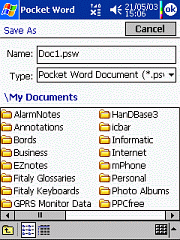
PocketPCfreewares has a link to a very useful utility on their site. The application replaces Windows Mobile Saves As option with a more complete solution. The interface looks like the Windows (Desktop) Save as dialog. It is much more easier to browse your device using this utility than using Microsoft builtin feature. Note: The author's site is in Japanese. Just look for the text "FileDialogChanger" to download the file

Tuesday, April 18, 2006

Microsoft employee explains why WM 5 is slower

I found this article on Windows Mobile Team blog where a Microsoft employee explains the reasons why Windows Mobile 5 is slower. The article is really well written, so that even if you're not a technical person you can understand. Click here to read the article.

Monday, April 17, 2006

Emoze team member replies

I have sent an email to Emoze about tge glicthes I noted in their push mail solution. Here's what they said:

"Thank you for contacting emoze.
emoze does suggest that you have a unlimited data package in order to keep the cost of data transfers down. There is also a feature that can be found in the account settings that enables you to have emoze automatically turn on and off at specific times, for instance at nights. In regards to you second inquiry, emoze is designed that when you choose a set interval to check for updates, it checks for updates on that given interval.  I will forward your suggestions to our development team for further analysis and thank you for your input.
Please feel free to contact us with any further inquiries."

There's nothing more I can add to this, so I'll let you draw your own conclusions.

Saturday, April 15, 2006

World cup 2006 on your Pocket PC.


Need any information about the soccer World Cup? The Soccer Information Manager 2006 can give it to you in a second. This Pocket PC software delivers all you could need to know about fixtures, locations and starting times in the different groups at the push of a button. Put the results of the matches in as they are played, and the Soccer Information Manager 2006 calculates the ranking and details of the final rounds.

In June this year, the 2006 World Cup kicks off a thrilling time for football fans. But its not easy to keep up to date with all the information about the matches. Who is playing whom on Saturday: where is the match and at what time does it start? If you have a Pocket PC there is an easy way to find out: the Soccer Information Manager 2006 shows the whole schedule. Matches can be displayed in order of starting time, by groups, by final rounds or by stadium locations.

After entering the results of each match, the software calculates new tables and fixtures. You can also try out diff

erent scenarios, e.g. what would be the situation if your country wins, ties or, worst of all, looses a game. The software even shows the location of each match on a map of Germany. There is now no excuse for missing a game. Pick the ones that you want to watch and the Soccer Information Manager 2006 sends the starting time to your Outlook database. The alarm goes off a set time in advance, so youll be able to fetch beer and crisps and get comfortable in front of the TV or even go down the pub to be ready for the kick-off!

One of the remarkable features of the software is its user-friendly interface. Without need of instructions, everybody is able to input the results, to display the next fixtures and to set the match reminder function. All data is saved automatically, so no information is lost if the battery runs out. The user can select between six languages: English, German, French, Italian, Spanish and Portuguese. It is also possible to select the time zone. The program size is less than 250 Kbytes.

The software is also compatible with all kind of Outlook extensions, e.g. Pocket Informant. A demo version even allows testing the software free of charge. Price $ 4.95 at Handango.  (Source: Press Release)

How to prevent battery recharge when usb connected.

As you are probably aware, the major problem with portable devices is battery's life. According to sources you can recharge your battery about 500 times . You also do know that when you connect your device to your PC through USB, your battery automatically activates the recharge process. This is not necessarily good for your device. A developper has a solution to that problem. However it only works on some devices namely SPV C600, M5000, M3000. These are Qtek and imate devices. Go to this site if you want to preserve your battery: http://www.mobismart.net/news/NEWS_ViewComments.asp?IDNEWS=521. Let us know if it worked.

Friday, April 14, 2006

About Emoze

I've spent the week testing Emoze push mail solution. But I also spent most of the time recharging my (device) batteries. Emoze eats up a lot of power. I won't go into the whole setup process, the installation guide is very explicit and straight forward. After you've run setup on both your PC and PPC, it's time to configure your device and create a username.

You create an account on your PC by providing a username and a password. Once that's done, Emoze opens a connection and waits for your PPC to connect. Now, if you're using a web based email like gmail, I recommend that you configure Outlook or any other email client you're using to connect regularly to retrieve your emails from the server. Meaning, outlook must be kept running on your PC. Emoze pushes new emails to your device once they reach your inbox in outlook. Unlike Blackberry or Microsoft solution, it's your device that establishes a connection to your PC at pre-defined intervals. Depending on your preferences, you can set emoze to maintain a non-stop connection or to connect every 5 mins, 10 mins, 30 mins, 1 hour up to every 24 hours. In fact, it's similar to the option available in Windows Mobile Messaging that, if set, will connect automatically to download your emails.

Emoze is not a real push mail solution and, most unlikely, will never constitute a threat to Microsoft and RIM's solution . As i've said earlier, emoze drains your battery when left running in the background. If you leave your GPRS connection on at all times, this also eats up power.

Conclusion: Reading Emblaze press release will be very tempting, but trust me, it's not worth it. I remember i'd set emoze to sync with my PC every 5 mins, which it never did. How sad...

4 Ways to Store Your Data - by Suzanne Ross (Microsoft)

This article describes the 4 types of flash storage cards available on the market and which one is more appropriate for your device, be it a Pocket Pc or Smartphone. The article also covers step by step procedures of how to move data to the storage card. Click here to read more.

Tips: Retrieve your IMEI

The IMEI (International Mobile Equipment Identity) is a 15-digit unique identification code used to identify a mobile phone on a GSM network. So, how else might an IMEI be useful? Some consumers use it as their little identification tag when handing their phones to service centers. Some developers use it as their licensing backbone when constructing a particular service or application for use on a phone. Whatever the case, the process of IMEI retrieval is uniform.

From a user perspective, you can choose from one of two easily accessible options:(1) Pull the battery out. Beneath it, on the compliance plate, there should be a label with the IEMI.(2) Open the dialing interface of your device and enter *#06#. This sequence allows you to retrieve the IMEI of most GSM devices without having to power them down.

Thursday, April 13, 2006

Tips: Free Alternate Media Player for Pocket PC

Want to watch AVIs or listen to MP4s on your Pocket PC or Smartphone? Check out The Core Pocket Media Player (TCPMP). This free audio/video player supports a variety of audio and video codecs not supported by Media Player Mobile, including DivX , XVid, or MPEG video, and Ogg Vorbis and MP4 audio formats. Best of all, it's free. The program is available for Windows Mobile and Palm OS devices. You can download it from the TCPMP Web site.

Wednesday, April 12, 2006

Tips: Spell Check and Count Words in Word Mobile Documents

The version of Word built into Pocket PCs will let you spell check a document and count the words in it. The process is simple:
Open Word Mobile ("Pocket Word" in pre-WM5 devices) and select the document you want to check from the file list.
On Windows Mobile 5 devices, tap on Menu (bottom right) and select Tools from the pop up menu. (On pre-WM5 devices, tap the Tool menu at the bottom of the screen.)
On Windows Mobile 5 devices, select the Spelling option from the pop-up menu. (On pre-WM5 devices, select Spell Check from the pop-up list.)
The spell checker will stop and highlight each word it doesn't recognize, and display a list of alternatives. Tap on a word in this list and spell checker will replace the highlighted word with it. You are also given the opportunity to ignore the highlighted word or add it to the spell checker dictionary.
You can also do a quick count of the words in a Word document. Open the document in Word Mobile. Then, tap on Menu, then Tools, and select Word Count. On pre-WM5 devices, open the document, tap on Tools, and select Word Count.

Freeware:Play Chess over Bluetooth

Want to be a Grand Master? This freeware has been designed to work over Bluetooth for devices running Windows Mobile with the Microsoft Stack (that is the bluetooth driver developped bu Microsoft). You will thus be able to play against your friends or a bluetooth enabled PC. Click here to download and here for more details.

Tuesday, April 11, 2006

Tips: Create Shorcuts

Most third party programs automatically create a program launch shortcut when you install the program on your Pocket PC. However, a few shareware and freeware programs do not. In addition, it's possible to accidentally delete shortcut files if you're not careful. Finally, you can create shortcuts to important documents and put them in a folder that appears in the Start menu, for quick access. In each of these cases, you need to know how to create a shortcut. Follow these steps:
Open File Explorer on your Pocket PC and navigate to the game or program which you want to create a short cut for.
Tap and hold the desired program file until the edit menu pops up and select the Copy option.
Navigate to My Device/Windows/Start Menu/Programs/Games/
Tap and hold on the white space below Solitaire or anywhere in the Games folder. When the edit menu pops up, select the Paste Shortcut option.

Monday, April 10, 2006

Air France, First Airline to Offer Mobile Phone Use on Flights

In early 2007 Air France will be the first airline to take delivery of a new A318 equipped with OnAir, an inflight system which allows mobile phones to be used on board without disrupting navigation.During a six-month period from March to September 2007 on services to Europe and North Africa, Air France will carry out trials on this aircraft with passengers, first of all by messaging and emailing only, and then with sound.
During this phase, Air France will ask passengers to give their opinion on this facility by means of a questionnaire, which will be given to them during the trip. The findings of this study will decide whether the service will be extended or not to other aircraft in the fleet.

This service will enable passengers to:
· receive and send calls and SMS' on a mobile phone,
· receive and send emails on a laptop or PDA,
· access the internet in WAP/imode.

Leaflets will be distributed to passengers before the flight (explaining the service, how it functions, tariffs etc.) and flight attendants will make announcements during the flight. Patrick Roux, Head of Marketing, said "Air France has always shared the full benefits of the latest technology with its passengers, while endeavouring to preserve the flight as a haven of peace and well-being."

Free Push E-mail service

This is almost too good to be true. Emblaze Ltd is offering free Push email to users. Push Email refers to the ability of a server to send email directly to a wireless device as soon as the email reaches the mailbox. Presently users have to connect to retrieve their emails. This type of service has made Blackberry very popular and Microsoft has only recently offered Push Mail.

Emblaze Push Mail software is available for download Here. Click Here to read Emblaze Ltd press release. I have downloaded the software and registered for a username and password. I wiil carry out some tests and post the results later.

Friday, April 07, 2006

Tips: Use ClearType for screen text

ClearType technology makes it easier to read text on your device.

1. Tap Start > Settings > System tab > screen > ClearType tab.

2. Select the Enable clearType check box.

Thursday, April 06, 2006

Free Macromedia player 7 plugin

Macromedia has released player 7 free for download. This plugin lets you view flash animation in internet explorer. Copy the link below into your browser and download the .cab file to your device. Tap and setup will run automatically.
Download Flash Player 7 for Pocket PC ›

http://download.macromedia.com/pub/flash/devices/
pocket_pc/installers/fp7_ppc_en.cab

Wednesday, April 05, 2006

How to "Hard Reset" Your Pocket PC

As sad as it may sound, there will come a time when you have to hard (or full) reset your Pocket PC. To hard reset a device means to restore the device back to it's original settings, just like it was when it came out of the box. You usually need to hard reset the device when you are having problems that a simple soft reset will not fix, if you want to sell the device and clear all your personal information off of it, or if you just feel lucky. There are a few things to note before completing this task. For one, make sure you truly want to do a hard reset. Back up all your information just in case you feel like you want to take a step back. Secondly, understand that even if you do a hard reset information in the ROM (on iPAQs it's known as the iPAQ File Store) will still exist. You'll want to delete this information manually if needed. Third, if you are trying to hard reset your device because you forgot your password, some device will have the password stick even after a hard reset. To truly get past this you will have to enter the password incorrectly or answer hints incorrectly a certain amount of times before it commits to a self-destruct process performing a hard reset on itself. Please do this at your own risk.

Eten M500 / M600: Press and hold the Power button. Press on the Reset button with your stylus for about 2-3 seconds.


Dell Axim X3 / X3i / X30:To hard reset, press and hold the power button and press in on the reset button (reset hole) on the back of the unit for about 2-5 seconds. Release both buttons and you will see a confirmation screen asking you if you would like to clear all data in memory. To do so press the Contacts button.

Dell Axim x50 / x50v / x51 / x51v:Make sure the device is on before performing hard reset. To hard reset, press and hold the power button and press in on the reset button (reset hole) on the back of the unit for about 2-3 seconds. Release both buttons and you will see a confirmation screen asking you if you would like to clear all data in memory. To do so press the Contacts button. To cancel press the Mail button.

HTC Apache, Sprint PPC-6700, Verizon XV6700:While holding both softkeys (buttons with “-“ on them), push in on the reset button once. Make sure you are still holding onto the softkeys. A confirmation screen should appear asking you if you want to reset all data. Press Y to reset, N to cancel.

HTC Wizard, i-mate K-JAM:While holding the Comm manager button and the Voice Command button, push in on the soft reset button (reset hole) once. Keep holding the Comm Manager and Voice Command buttons until there is a screen asking you if you want to clear all data. To commit, press the green send key.

HP iPAQ h1900 Series (1910 / 1915 / 1930 / 1935 / 1940 / 1945) and HP iPAQ h6300 Seies (6310 / 6315):While holding down the power button press in on the reset button (reset hole) with your stylus (located on the left hand edge of the unit rather than the bottom) for about 5 seconds.

HP iPAQ h2000 Series (2210 / 2215):While holding down on the far left (calendar) and far right (iTask), press in on the reset button on the back of the unit for about 5 seconds. After you see the screen fade, release all buttons. You can verify the hard reset by pressing the power button. If the device does not power on, then you have successfully reset you unit. To reactivate the battery you must either connect the iPAQ back to AC power or press the reset button again with your stylus.

HP iPAQ h5000 Series (5450 / 5550 / 5555) and HP iPAQ h3800 Series (3830 / 3835 / 3850 / 3855 / 3870 / 3875):While holding down on the far left (calendar) and far right (iTask or Today) press in on the reset button (reset hole) with your stylus for about 2-3 seconds. After you see the screen fade, you can verify the hard reset by pressing the power button. If the device does not power on, then you have successfully reset you unit. To reactivate the battery you must either connect the iPAQ back to AC power or press the reset button again with your stylus.

HP iPAQ hw6500 Mobile Messenger Series (6510 / 6515), iPAQ hx2000 Series (2415 / 2715) and HP iPAQ hx4700 / hx4705:While holding down on the far left (calendar) and far right (iTask) press in on the reset button (reset hole) with your stylus for about 2-3 seconds. The Pocket PC should reset and power back on. If the device does not power back on, make sure that the battery lock switch is to the left (locked).

HP iPAQ rx3115 / rx3715:While holding down on the far left (Mobile Media) and far right (iTask) press in on the reset button (reset hole) with your stylus for about 2-3 seconds.

HP iPAQ rz1700 Series (1710 / 1715):While holding the far left (Mobile Media) and far right (Today) buttons, press in on the reset button (reset hole) on the bottom for about 2-3 seconds. To verify that you have hard reset you device, press the power button. If the device does not turn on then you have successfully hard reset you device. To reactivate the PDA, either connect the device to the AC adapter or press in on the reset button.

Palm Treo 700w:Make sure that the Treo isn’t connected to AC power. To perform a hard reset press and hold the Power/End button. While holding the Power/End button press in and release the reset button. When you see the confirmation screen asking you if you want to erase all data, you can release the Power/End button and press the up button on the directional pad to confirm the hard reset.

Toshiba e310 / e330/ e335 / e350 / e355 / e400 / e405 / e570 / e740 / e750 / e755 / e800 / e805:Make sure your device is off before performing hard reset. While holding the power button press in on the reset switch with your stylus then release the power button. When a screen appears release the reset switch.

Microsoft Wins Biggest Phone-Software Order, Rivals BlackBerry

April 4 (Bloomberg) -- Microsoft Corp. won its biggest-ever contract for mobile-phone software, an order from the U.S. Census Bureau that covers 500,000 handsets.
Microsoft, the world's biggest software maker, plans to unveil the deal today, general manager Scott Horn said in an interview. Redmond, Washington-based Microsoft expects to increase its mobile unit's sales to $1 billion in one to three years, from $337 million last year, and break the dominance of Research In Motion Ltd.'s BlackBerry.
``Up until now, BlackBerry had the market for themselves,'' Peter Knook, a Microsoft senior vice president, said in an interview. ``That landscape has changed.''
Sales of handsets with Windows will double to 20 million units in 2007 as corporate customers opt for those devices instead of the BlackBerry, Knook said. They still would be just a fraction of Microsoft's almost $40 billion in annual sales.
The company declined to disclose the value of the Census Bureau contract for Windows Mobile phones, which can link to the Internet, run Office, read e-mail and play music. Census takers will use them in collecting information door-to-door during the 2010 U.S. census.
Microsoft already won contracts to supply software for Palm Inc.'s Treo and Motorola Inc.'s new Q, after five years of delays and problems with its product.
Playing Catch-Up
It's still an uphill challenge for Microsoft. Researcher IDC expects shipments of Windows-based phones to double in each of the next two years. Even then, the software will account for only 13 percent of the total market, which includes business and consumer users, Framingham, Massachusetts-based IDC said.
``They're nowhere right now,'' said analyst Kevin Burden at IDC. ``RIM is still the mobile enterprise solution that all others should be measured against.''
Research In Motion spokeswoman Marisa Conway declined to comment. The Census Bureau phones will be built by Taiwan's High Tech Computer Corp.
The first sign that Microsoft was cracking the market came in September, when Palm said its new Treo would use Windows, after three years of clandestine meetings. During the project code-named Hendrix, staff referred to Microsoft as Woodstock and Palm as Purple Haze to keep it secret, Knook said. The companies had been rivals, and they didn't want workers to find out too soon.
Close Call
The secret almost came out in March 2004 in a private dining room at Arnaud's Creole restaurant during the CTIA trade show in New Orleans. In the next room, a Microsoft salesman met with phone retailers the companies didn't want to know about the pact, Knook said.
As six executives from Microsoft and Palm sat in the bar pretending not to recognize each other, restaurant workers ran upstairs to shut windows and doors connecting the rooms. Over a platter of oysters, executives hashed out sales, marketing and pricing strategy for the device.
The result: Microsoft won a spot in a device that sapped the strength of BlackBerry. Palm's Treo gained 564,000 users last quarter, almost as many as BlackBerry. Palm doesn't break out how many Treos have Windows. Research In Motion forecast BlackBerry user growth of 620,000 to 630,000 last quarter.
Being in the Treo is ``critical for Microsoft,'' said Page Murray, Palm's vice president of marketing. ``Nobody came out with a terribly viable Windows Mobile device prior to this. There was plenty of hardware out there, but nothing that captured the hearts and minds of people.''
Microsoft shares rose 35 cents to $27.56 yesterday in Nasdaq Stock Market composite trading. They've risen 9.1 percent since the Palm deal was announced.
Motorola Inc., the world's No. 2 mobile-phone maker, was the first company to put the software in phones in the U.S., in 2003. In the next several weeks, Schaumburg, Illinois-based Motorola will begin selling its BlackBerry rival, the Q, with a full keyboard and fast Web access.
Getting it Right
``We had a good understanding that sooner or later Microsoft would get it right,'' said Scott Durchslag, general manager in Motorola's mobile-devices division. ``We thought we could help make it sooner. It was a bet that paid off.''
Some analysts are optimistic. Delivering e-mail to Windows phones will cost less and the devices offer a wider array of features, Forrester Research Inc. analyst Ellen Daley said.
Windows runs 5 percent of high-end devices, which cost $300 or more, at large businesses in North America, she estimated. By 2010, Microsoft may have 60 percent, taking customers from BlackBerry, which now has 80 percent, according to her estimates.
Out of Parking
Knook added 150 people to his staff of more than 2,000 this year. Parking hasn't been able to keep up. With almost two cars for every space, one of his four buildings moved to valet parking.
He wants to enter the consumer market, where he also will fight top handset maker Nokia Oyj, which focused on software for consumer phones and is now also targeting BlackBerry. Espoo, Finland-based Nokia in February bought e-mail software maker Intellisync Corp. and formed a joint venture with Sanyo Electric Co. to improve sales of high-end phones in the U.S.
Knook's group is spending $25 million through June 30 on its first advertising campaign targeted at users. Since February, banners in airports and bus stops in cities from New York to Los Angeles to Paris ask travelers whether that's ``Microsoft Office in your pocket.''
``You may have the best technology, but if you've never told anybody you don't get any credit for it,'' Knook said. ``That's not something you fix overnight.''

I-mate Tutorials

I-mate has free useful tutorials published on its site. You will learn how to set up Internet configuration, set up your e-mail, synchronize your i-mate™ device to your PC and much more! The tutorials cover both Pocket PCs and Smartphones.

Tuesday, April 04, 2006

Put a library in your pocket - by Kevin Ebi

It used to be that borrowing a book from the library was a time-consuming effort. First, you had to find a time the library was open, a challenging task in this era of cost cutting. Then you had to navigate the Dewey Decimal system only to discover that the title you absolutely needed was checked out and overdue.
Now, your library card and your Windows Mobile powered device can grant you all-hours access to thousands of books and journals – everything from the latest novels to in-depth guides covering everything from science and business to health and travel. Read More

Qtek S300 revealed


Well, Expansys recently released information about the Qtek S300, and with startlingly similar characteristics to the HTC Muse, we can now assume this much heralded device will most likely be making it to market. As most of you know the Muse (in this case, S300) is more media device than phone. It runs Windows Mobile 5.0, has 4GB of expandable memory, a 240x240 TFT-LCD (65k color support), an alternative micro-SD slot, aaaand a built in FM radio (why not?). Still, t handles all the expected network standards: GSM, GPRS, EDGE and UMTS and packs a 416 mhz (packs? okay, comes equipped with) processor... Read More

Monday, April 03, 2006

Tips: Where to repair

If you have to repair your device, you have no other alternative than to send it abroad. I therefore recommend PocketPCtech, a US based company. They offer a variety of services including repairs and upgrading your device memory. They even sell a Do-it-Yourself repair kit.

Trendsmobile is a Singapore based company that offers repair services only.

One piece of advice: Handle your device with precaution. You don't want to have to spend a lot of money for repairs.

It's Easy to Re-install Some Applications ...

It's Easy to Re-install Some Applications
It's a bother to restore a Pocket PC that you've had to hard reset it. We don't always remember to make backups either through ActiveSync or through backup software. And, some software requires the input of unlocking codes. (Make sure you put in your name in Owner Information exactly like you had it in there before; some unlock codes use your name as part of the process.) Then you need the unlocking code itself. It's a good idea to keep those codes in a safe place, like in a Note on your Pocket PC titled "software codes", or in an Outlook Mail folder titled "Pocket PC Software Codes."Also, be aware that you can re-install software that you had previously installed through ActiveSync. ActiveSync keeps the files necessary to re-install a program onto your Pocket PC. In ActiveSync on your desktop PC, go in to Tools>Add/Remove Programs.You'll see a list of all the programs you've ever installed onto your Pocket PC. Those with a check mark are already installed; to install a program, have your Pocket PC in its Sync cradle, then check the program you want to install. ActiveSync will then install it on your Pocket PC. (Conversely, if you want to uninstall a piece of software, you can uncheck it in ActiveSync, and it will be uninstalled from your Pocket PC.)

Saturday, April 01, 2006

Bluetooth virtual keyboard blinds man

In what authorities are saying is one of the most horrific accidents they have ever seen, a local man has been struck blind by a mobile peripheral designed to enhance, not destroy, his life.  The man, identified as James Norfolk of Center Blvd. was taken to St. Lucy's Charity Hospital early yesterday complaining of vision loss.  The staff there was shocked to see that his retina had been degraded due to prolonged exposure to laser light.  The man had recently purchased a Bluetooth Virtual Keyboard to use with his PDA for quick note taking and writing, the device appearing as a godsend to him in his flourishing writing career.  When interviewed by the local press, his wife, Beth, told reporters of her husband's new found love of writing fiction and how the BVK had helped him so much.  She found him many nights tapping out chapters to his book, a soon to be self-published book entitled "Medusa's Wrath".  Authorities are now investigating the company that sold Mr. Norfolk the keyboard, as well as its manufacturer, i-Tech.